

URL
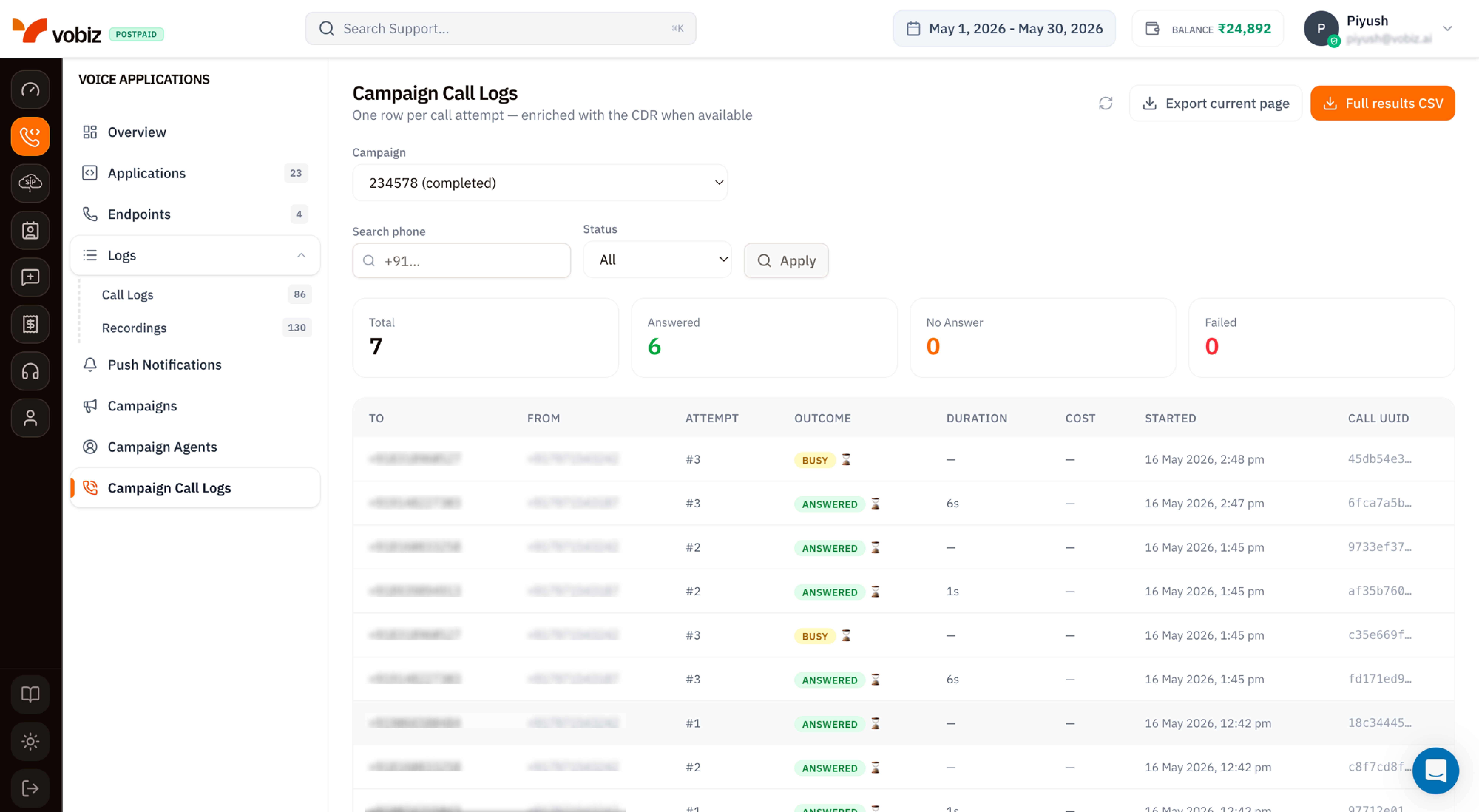
Campaigns - Campaign Call Logs
One row per call attempt - enriched with the CDR when available.A contact retried twice produces three rows: the original (
#1) plus the two retries (#2, #3). The CDR - duration, cost, call quality - is stitched in once the attempt finishes; “in flight” rows show — for those fields until the call ends.
Filters
Three controls sit above the KPI tiles. All three apply together; click Apply to refresh the table.KPI tiles
Four counters reflecting the current campaign + filter set.Busy attempts aren’t a top‑line tile - they show in the table’s Outcome column. Use the Status = Busy filter if you need a count.
Table columns
Click any row to open the full call detail (same panel as Voice Call Logs).
Export
Two buttons in the top‑right:
The CSV columns mirror the table plus a few extras: the
Call UUID is the full UUID (not truncated), Hangup Cause is added, and a Recording URL column appears for attempts that produced audio.
Tips
- Filter by Status = Failed first when a campaign underperforms. Failed attempts cluster - fix the systemic cause (invalid number format, blocked country, expired trunk credential) before retrying.
- Cross‑reference Attempt #. A contact that retried 3× and never connected is a dead lead - drop them from the next campaign upload.
- Quote the Call UUID, never the row number or campaign name, when filing a Vobiz support ticket.
- In‑progress rows refresh on Apply. Hitting Apply with the same filters is the easiest way to re‑poll without leaving the page.
What’s next
Campaigns
Pause underperforming campaigns or launch new ones.
Voice Call Logs
The same call viewed alongside non‑campaign traffic.