Subaccounts are child accounts under your parent account. Each one gets its own Auth ID and Auth Token, its own numbers, and its own usage - which is what makes them the unit of isolation for resellers, platforms billing their own customers, and teams that want staging traffic kept away from production. Open them from Setup → Subaccounts in the left sidebar.
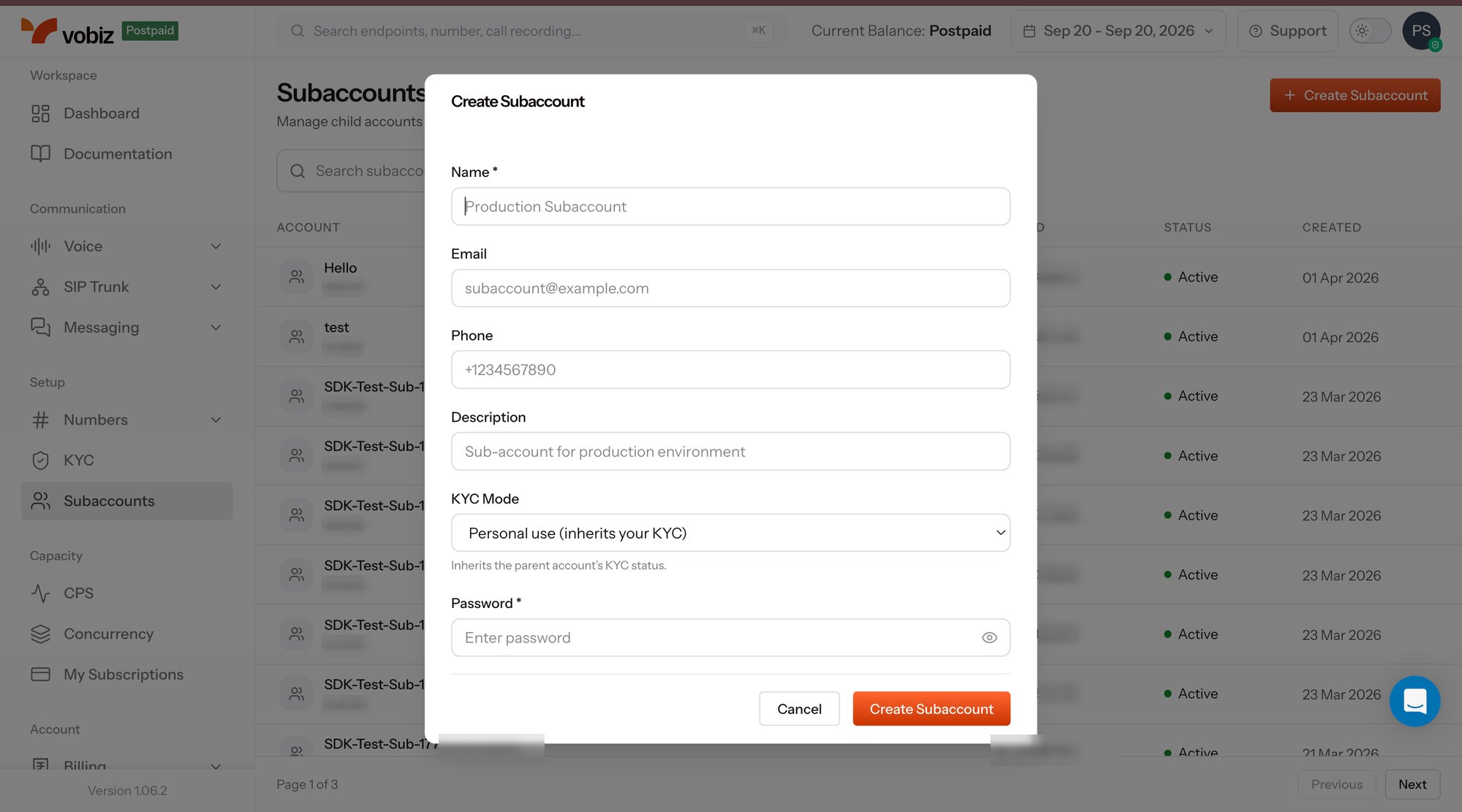
Subaccounts page listing child accounts with their account IDs, Auth IDs, status and created date, with the Create Subaccount dialog open over it showing Name, Email, Phone, Description, KYC Mode and Password fields and a Create Subaccount button

Subaccounts - the list plus the Create Subaccount dialog

The list shows every child account with its Account ID, Auth ID, Status, and Created date, with a search box above and paging below.

Create a sub-account

Click + Create Subaccount in the top right and fill the dialog: Click Create Subaccount, and the child account appears in the list with credentials already issued.
KYC mode is the field to get right up front. A sub-account that inherits the parent’s KYC is trading under your verified identity; one that verifies independently carries its own. For regulated Indian numbering series this determines which entity the numbers are attributed to - see the KYC overview.

The sub-account detail panel

Selecting a row opens the detail panel - the account record, its credentials, and its numbers in one place.
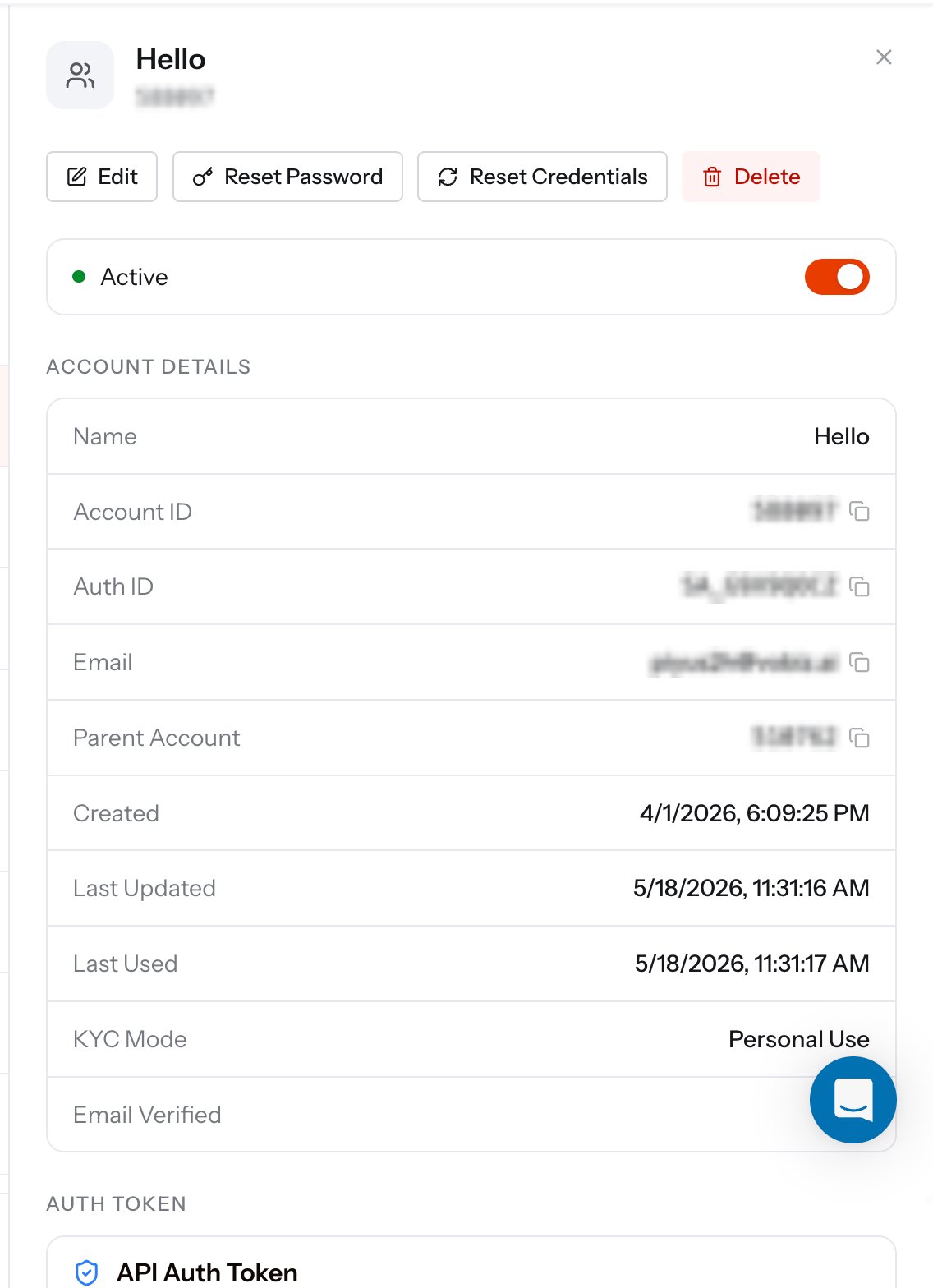
Sub-account detail panel with Edit, Reset Password, Reset Credentials and Delete buttons, an Active toggle, and an Account Details table listing Name, Account ID, Auth ID, Email, Parent Account, Created, Last Updated, Last Used, KYC Mode and Email Verified

Sub-account details - identity, credentials, and lifecycle

Account details

Actions

Auth Token and rotation

Every sub-account carries an API Auth Token to pair with its SA_ Auth ID. Together they are exactly the credentials the Vobiz API expects, so a sub-account’s code authenticates the same way the parent’s does - different header values, identical flow.
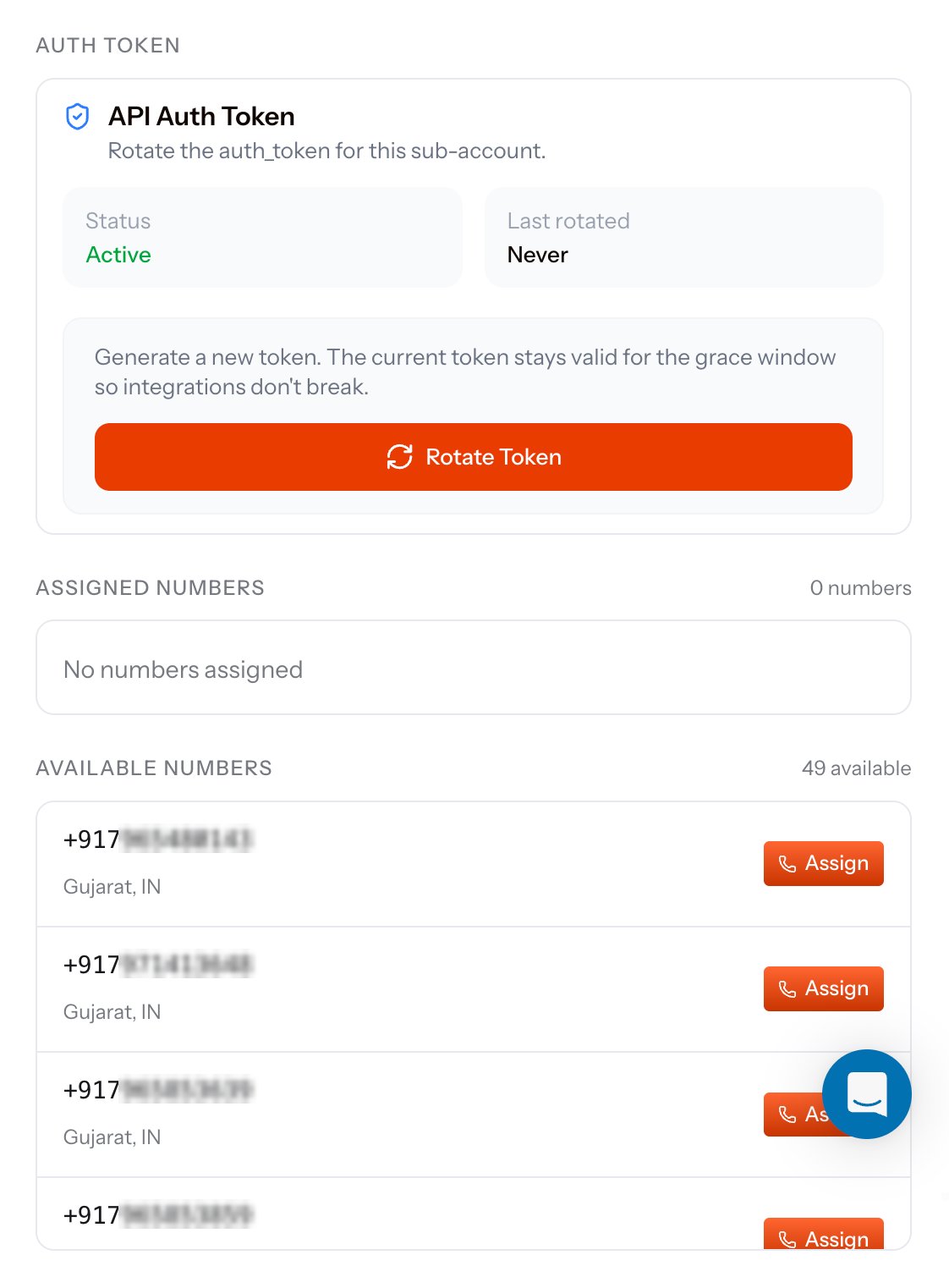
Sub-account panel showing the API Auth Token card with Status Active, Last rotated Never, a note that the current token stays valid for a grace window, and a Rotate Token button, followed by an Assigned Numbers section reading no numbers assigned and an Available Numbers list with Assign buttons

Auth token rotation and number assignment

The API Auth Token card shows the token’s Status and when it was Last rotated. Rotate Token generates a new one, and the previous token stays valid for a grace window so live integrations keep authenticating while you roll the new value out.
Rotate on a schedule, and rotate immediately if a token has been pasted into a ticket, a log, or a shared document. The grace window means you can rotate first and redeploy second.

Assigning phone numbers

The panel ends with two lists: Assignment is reversible - pull a number back to the parent at any time. The same moves over the API are Assign to sub-account and Unassign from sub-account, and the parent-side view of the estate is My Numbers.

The same operations over the API

Create a sub-account

Provision a child account and receive its auth_id and auth_token.

List sub-accounts

Page through every child account under the parent.

Onboarding flow

The end-to-end path for onboarding a customer as a sub-account.

Sub-account KYC

PAN, GST, CIN, and DigiLocker verification for child accounts.