

URL
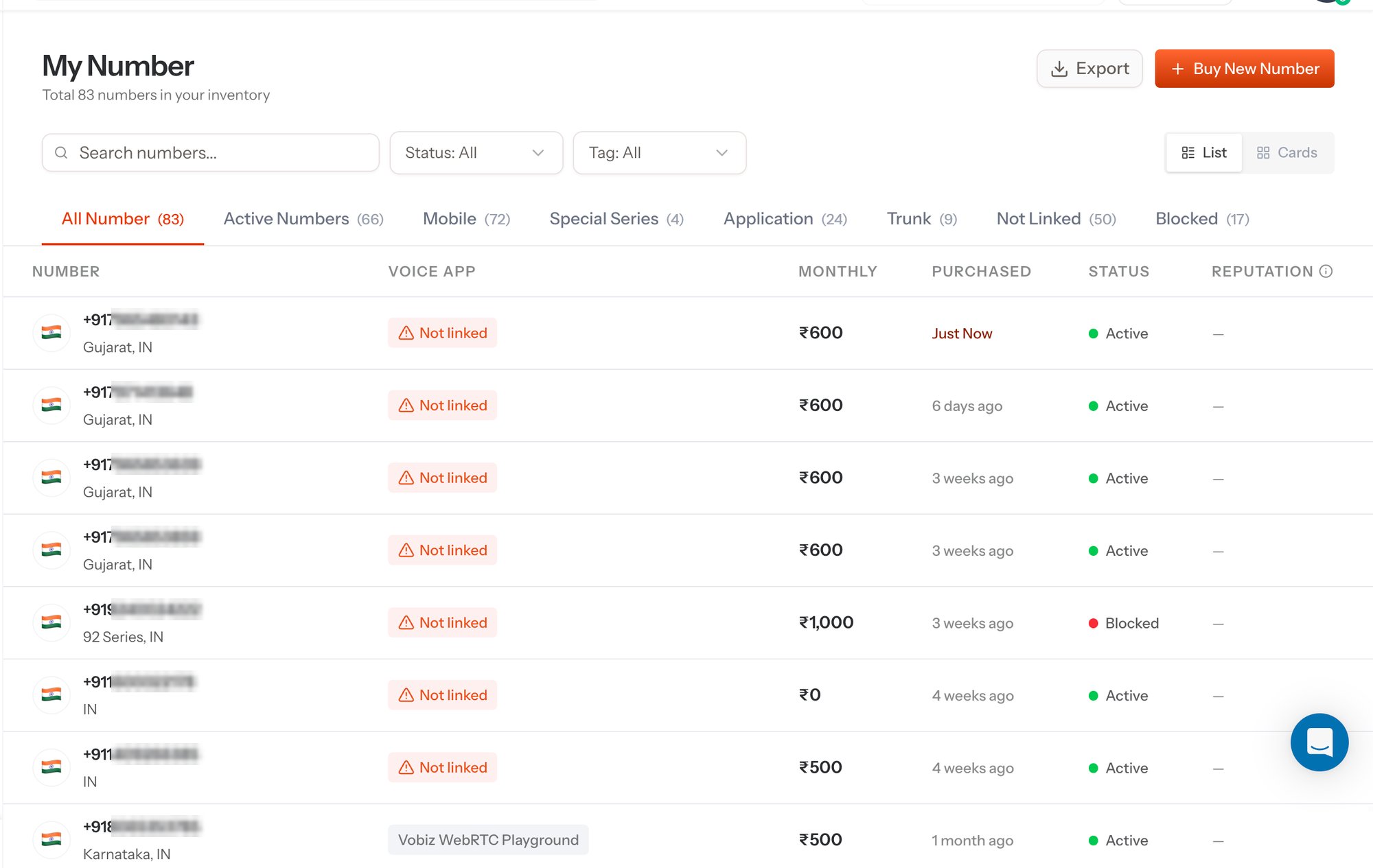
My Number - every number on the account
Tabs
The tabs slice the same inventory different ways, and each carries its own count so you can see the shape of your estate at a glance.Search, filter, and view
Columns
Routing a number
A number is only as useful as the thing behind it. Two destinations are available:An XML application
Vobiz fetches your Answer URL on each inbound call and plays back the XML you return. Best for IVRs, AI agents, and anything webhook-driven.
An inbound SIP trunk
Vobiz delivers the call to your Origination URI. Best for a PBX, softswitch, or existing VoIP stack.
Handing numbers to a sub-account
Numbers bought on the parent account can be handed down to a sub-account, which is how resellers and multi-tenant platforms keep each customer’s traffic, CDRs, and billing separate. Assign from the sub-account’s detail panel in the console, or over the API:Assign to sub-account
Move a number from the parent account to a sub-account.
Unassign from sub-account
Pull a number back to the parent account.
Releasing a number
Releasing hands the number back to inventory and stops the monthly rent. The one-time release fee quoted at purchase is charged at this point - it is the figure shown as ₹… release (if released) in Numbers Inventory. Over the API, use Release a number. A release can be reversed inside the cool-off window with Cancel release.The same inventory over the API
List account numbers
Page through every number on the account with its application, trunk, and status.
Phone Numbers API
The full resource - buy, list, assign, release, and health.