

host:port plus transport - that Vobiz forwards inbound PSTN calls to. Each inbound trunk picks one URI as its Primary, and you can keep multiple URIs on hand for primary/backup routing or per‑region delivery.
URL
The Origination URI list
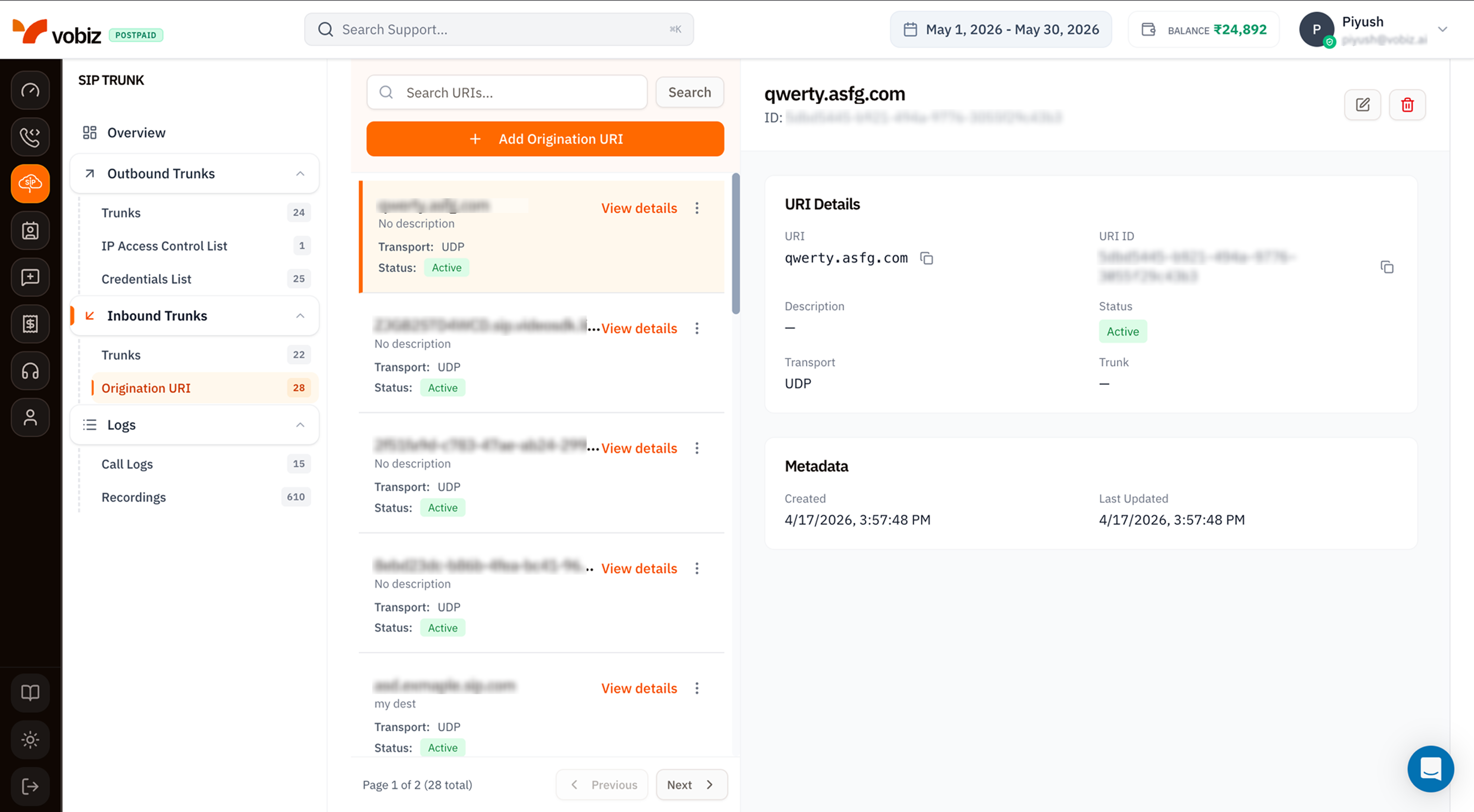
Origination URI - list and details
Click any card to load its details on the right.
Details panel
Create an Origination URI
Click + Add Origination URI to open the side panel.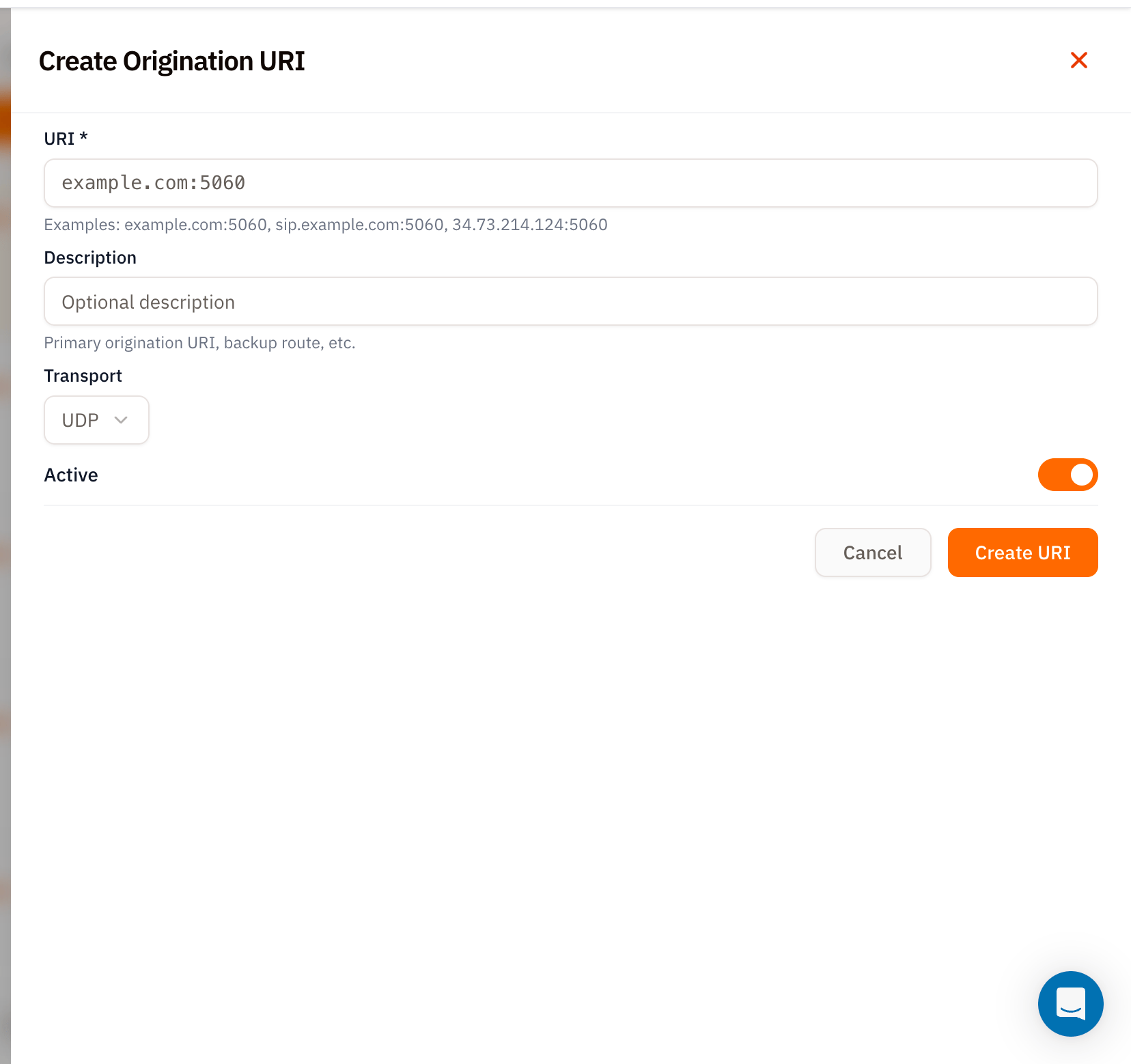
Create Origination URI form
Click Create URI.
Link the URI to an inbound trunk
Once the URI exists:- Open an Inbound Trunk.
- Edit the trunk and pick this URI from the Primary URI dropdown.
- Save.
Multiple URIs - primary / backup
A URI created here can be reused across many trunks, or you can keep several URIs on standby for fast failover:- Primary URI stays linked to the production inbound trunk.
- Backup URI stays
Activebut unlinked. - When the primary PBX goes down, switch the trunk’s Primary URI to the backup - propagation is instant.
Tips
- Always include the port.
example.com:5060is clearer than relying on a default - and several common firewalls reject SIP without an explicit port. - Use TLS for cloud PBXes. UDP over the open internet is fine for fixed‑IP deployments, but TLS prevents eavesdropping and SIP fingerprinting for cloud setups.
- Name the URI well. The list grows fast; “Primary Mumbai PBX” beats
34.73.214.124:5060when you’re staring at 28 entries.
What’s next
Inbound Trunks
Link this URI to a trunk and start receiving calls.
SIP Call Logs
Verify inbound traffic landed on the right URI.