

URL
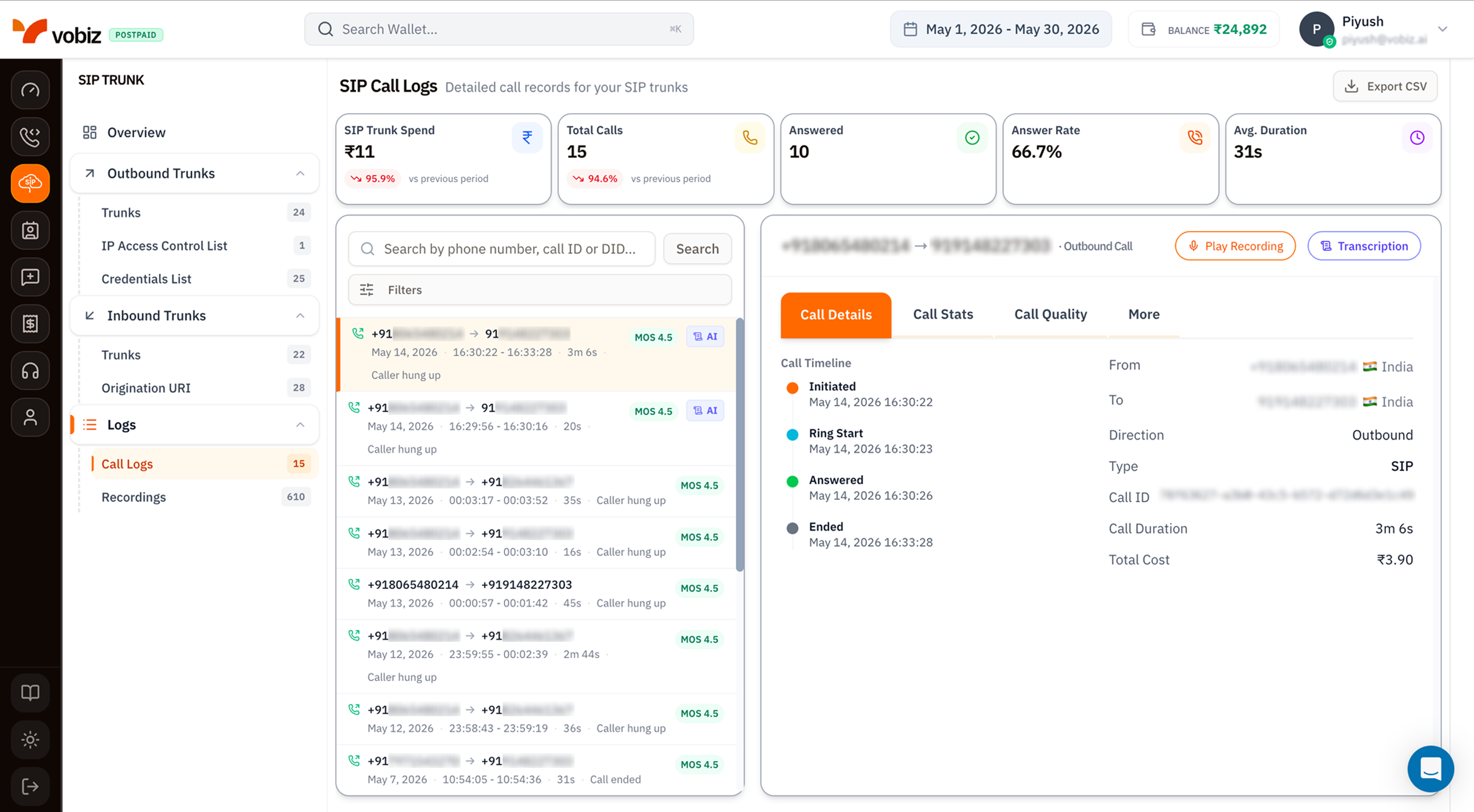
SIP Trunk - Call Logs
KPI tiles
Call details panel
Same 4‑tab layout as Voice Call Logs - Call Details, Call Stats, Call Quality, More. For SIP traffic specifically, the More tab adds:- SIP Trace - raw INVITE / 100 / 180 / 200 / BYE messages with timing.
- Hangup Cause Code - the SIP cause code (
486 Busy Here,487 Request Terminated, etc.) plus the friendly label. - Auth Method -
IP ACLorCredentials, useful for confirming which auth path the call used.
Filters
Same modal as Voice Call Logs filters:- Direction (All / Inbound / Outbound)
- From Number / To Number (substring)
- Min / Max Duration (seconds)
- Hangup Cause (dropdown)
Export to CSV
The Export CSV button downloads every call in the current filter + date range as a CSV - same columns as Voice Call Logs, plus aTrunk Name and Auth Method column for SIP rows.
Tips
- Filter by Trunk when triaging a specific PBX. Use search box with the trunk’s name.
- MOS < 3.5 consistently on outbound suggests a network problem between your PBX and Vobiz - check Call Stats for packet loss and jitter.
- Hangup Cause 486 Busy Here in inbound logs means your PBX’s lines are full - increase concurrency or load‑balance across trunks.
What’s next
Recordings
Play and download audio for recorded SIP calls.
CDR API
Pull the same data programmatically.