

URL
The Outbound Trunks list
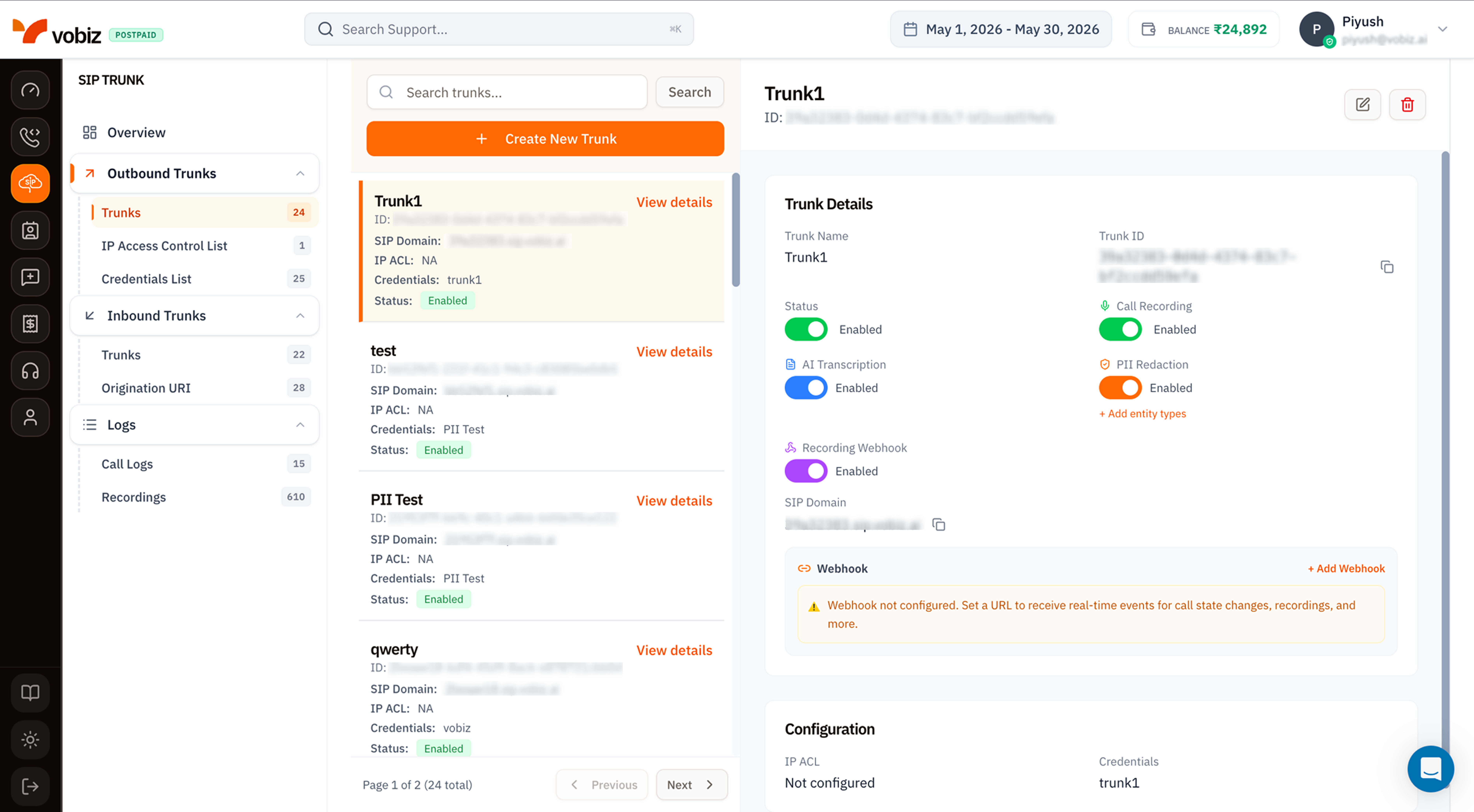
Outbound Trunks - list, details, and toggles
- Search + Create -
Search trunks…filter and a + Create New Trunk button. - Trunk list - each card shows the trunk name, ID, SIP Domain, IP ACL status, attached Credentials, and current Status badge (
Enabled/Disabled). - Trunk Details panel - the right side updates when you click a card.
The trunk details panel
Recording & Transcription toggles
Four togglable features, all per‑trunk:Configuration
The bottom card surfaces the auth wiring at a glance:- IP ACL - name of the IP Access Control List attached (or
Not configured). See IP Access Control List. - Credentials - name of the credential list attached (or
Not configured). See Credentials List.
Webhook
A general‑purpose webhook URL Vobiz POSTs call state events to (started, answered, ended). Click + Add Webhook to configure - same payload shape as the trunk webhook reference.Create an Outbound Trunk
Click + Create New Trunk to open the side panel.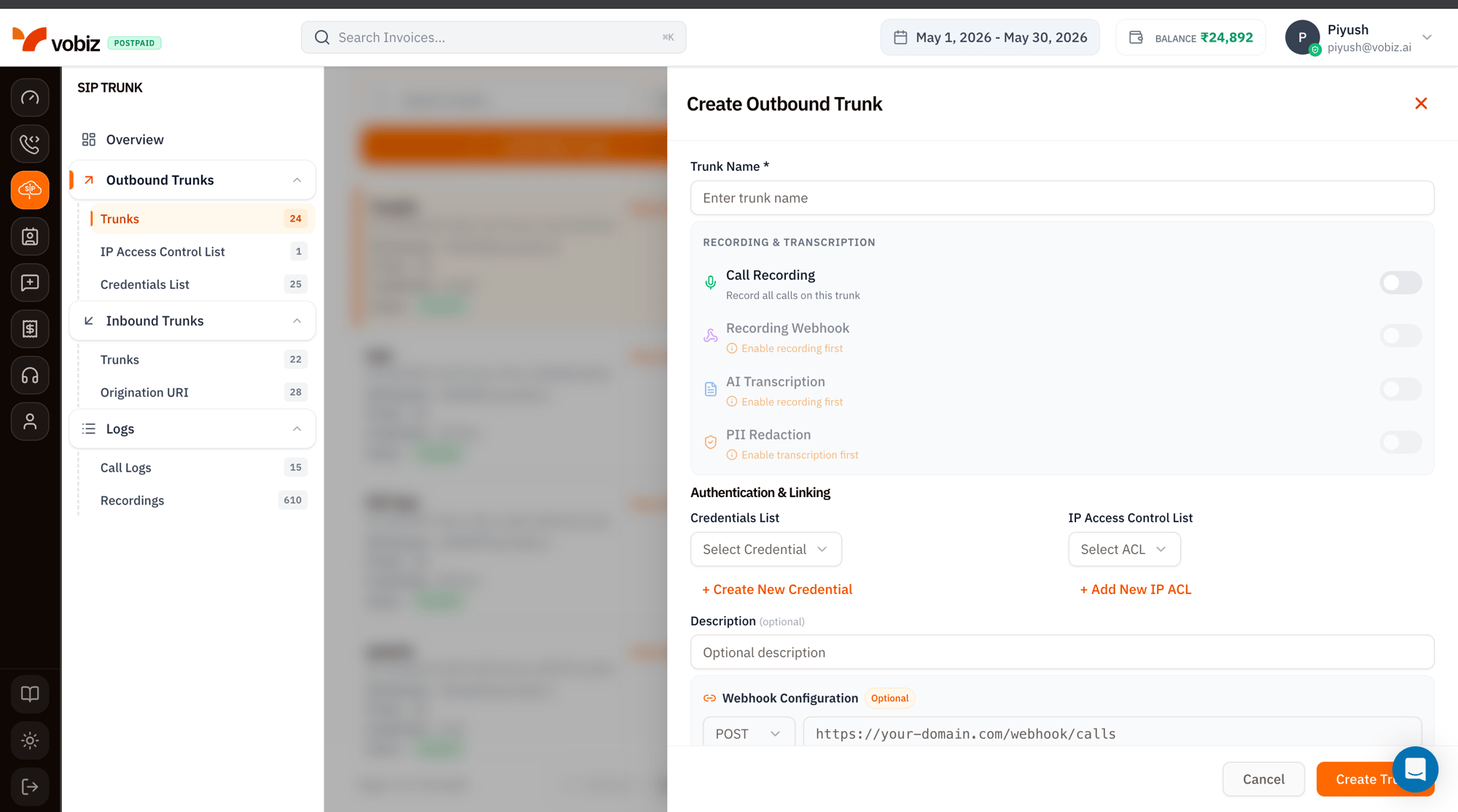
Create Outbound Trunk form
Click Create Trunk. Vobiz issues the SIP Domain and you can point your PBX at it immediately.
Pointing your PBX
Once the trunk is created:Edit, disable, delete
Top‑right of the details panel:- ✏ Edit - opens the form for changing any field except the Trunk ID.
- Status toggle - disable without deleting; calls are rejected instantly.
- 🗑 Delete - permanently removes the trunk. Active calls drop.
Tips
- One trunk per environment. Keep prod, staging, and dev on separate trunks so a misconfigured stage trunk can’t bleed into prod metrics.
- Recording + transcription has a billing impact. It’s worth it for AI agent flows, but expensive at carrier‑grade volumes - see the Cost Calculator.
- Webhook over polling. The trunk webhook is the cheapest way to know when a recording is ready - beats polling
GET /recordings.
What’s next
IP Access Control List
Whitelist your PBX’s source IPs.
Credentials List
Set up SIP usernames and passwords.