An IP Access Control List (ACL) is a list of source IP addresses or CIDR ranges Vobiz will accept SIP traffic from on a given outbound trunk. Use it instead of (or alongside) SIP credentials when your PBX has a stable, public IP.
URL

The IP ACL list

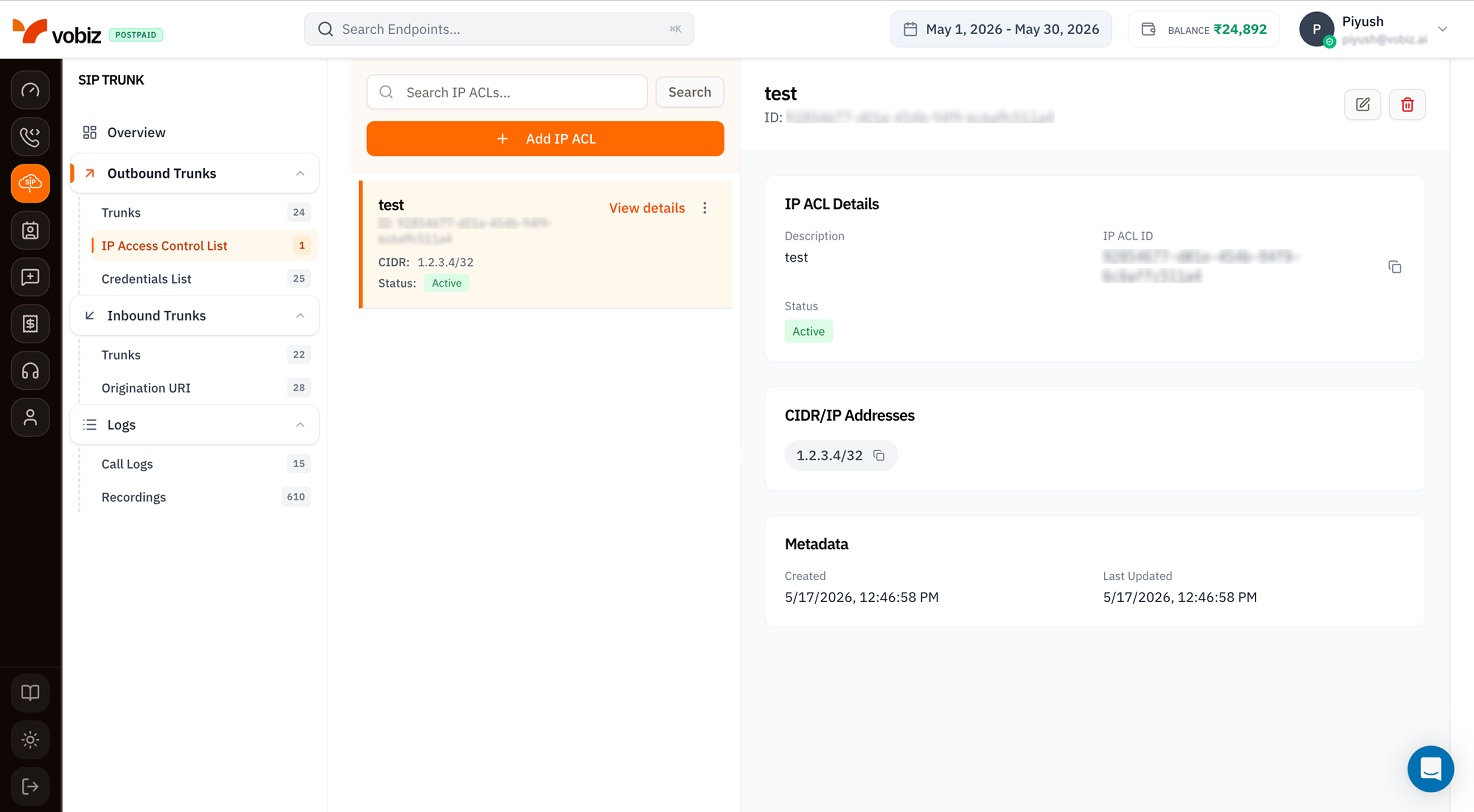
IP Access Control List page with a search field, Add IP ACL button, a list showing one ACL named test with ID and CIDR 1.2.3.4/32 and Status Active, and an IP ACL Details panel on the right with Description, IP ACL ID, Status badge, CIDR/IP Addresses chip (1.2.3.4/32), and Metadata showing Created and Last Updated timestamps

IP Access Control List - list and details

Click any card to load its details on the right.

Details panel

Create an IP ACL

Click + Add IP ACL to open the side panel.
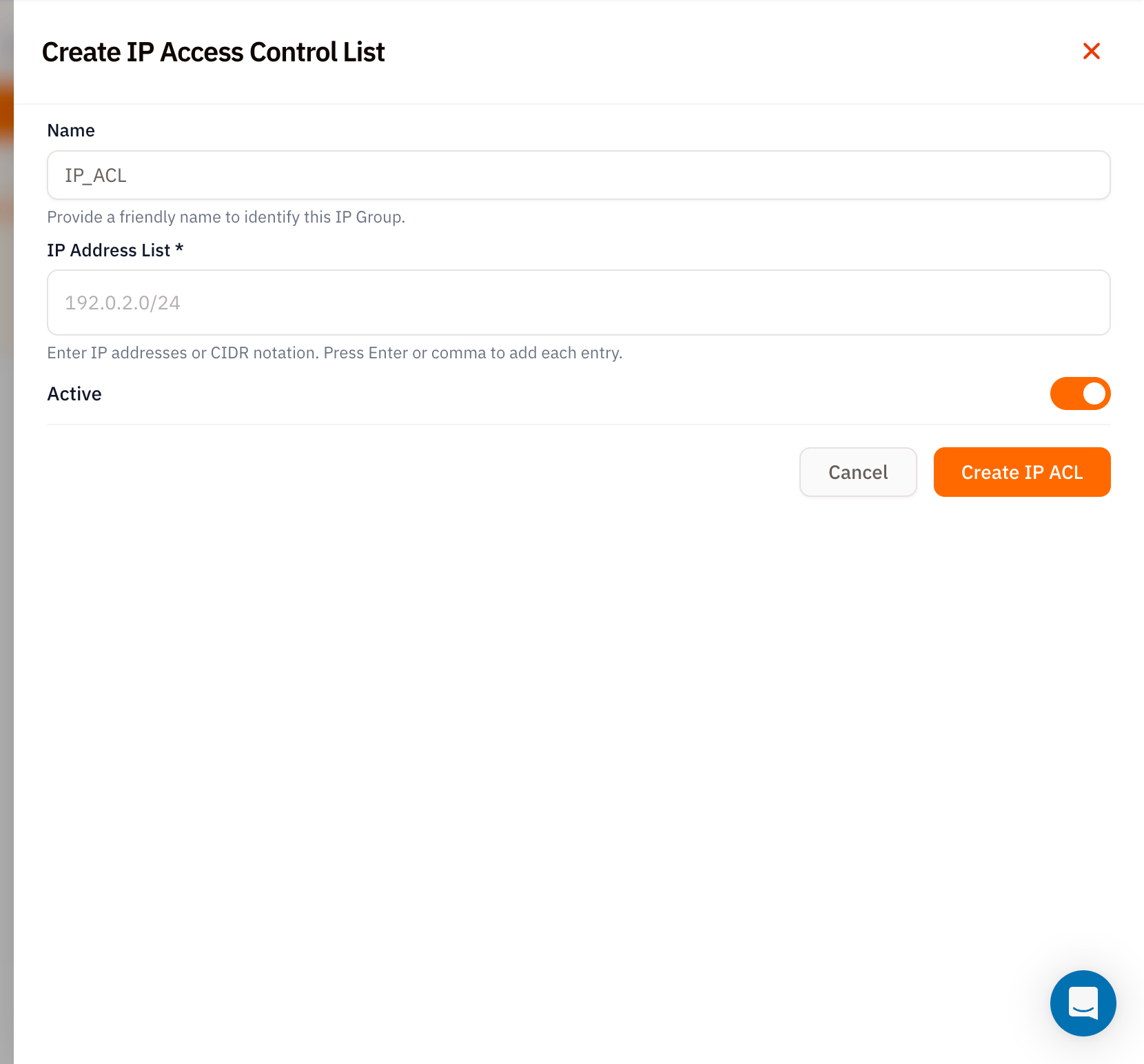
Create IP Access Control List modal with Name field set to placeholder IP_ACL, IP Address List required field with placeholder 192.0.2.0/24 and hint Enter IP addresses or CIDR notation - Press Enter or comma to add each entry, Active toggle on, and Cancel and orange Create IP ACL buttons

Create IP Access Control List form

Click Create IP ACL.

Use the ACL on a trunk

Once created:
  1. Open an Outbound Trunk.
  2. Edit the trunk and pick the new ACL from the IP Access Control List dropdown.
  3. Save.
From now on, SIP INVITEs from any IP in the ACL are accepted without further auth.

Tips

  • Use /32 for single hosts. A bare IP like 1.2.3.4 is normalised to 1.2.3.4/32 - but being explicit makes it obvious to anyone reading the list later.
  • Stack multiple entries on one ACL. Easier than juggling several ACLs - one per environment is the sweet spot.
  • Toggle, don’t delete. When a PBX is temporarily offline, set the ACL to Inactive instead of removing entries - your config returns intact when the box comes back.

What’s next

Outbound Trunks

Attach this ACL to a trunk.

Credentials List

Username + password auth as an alternative to IP ACL.