

URL
The endpoints list
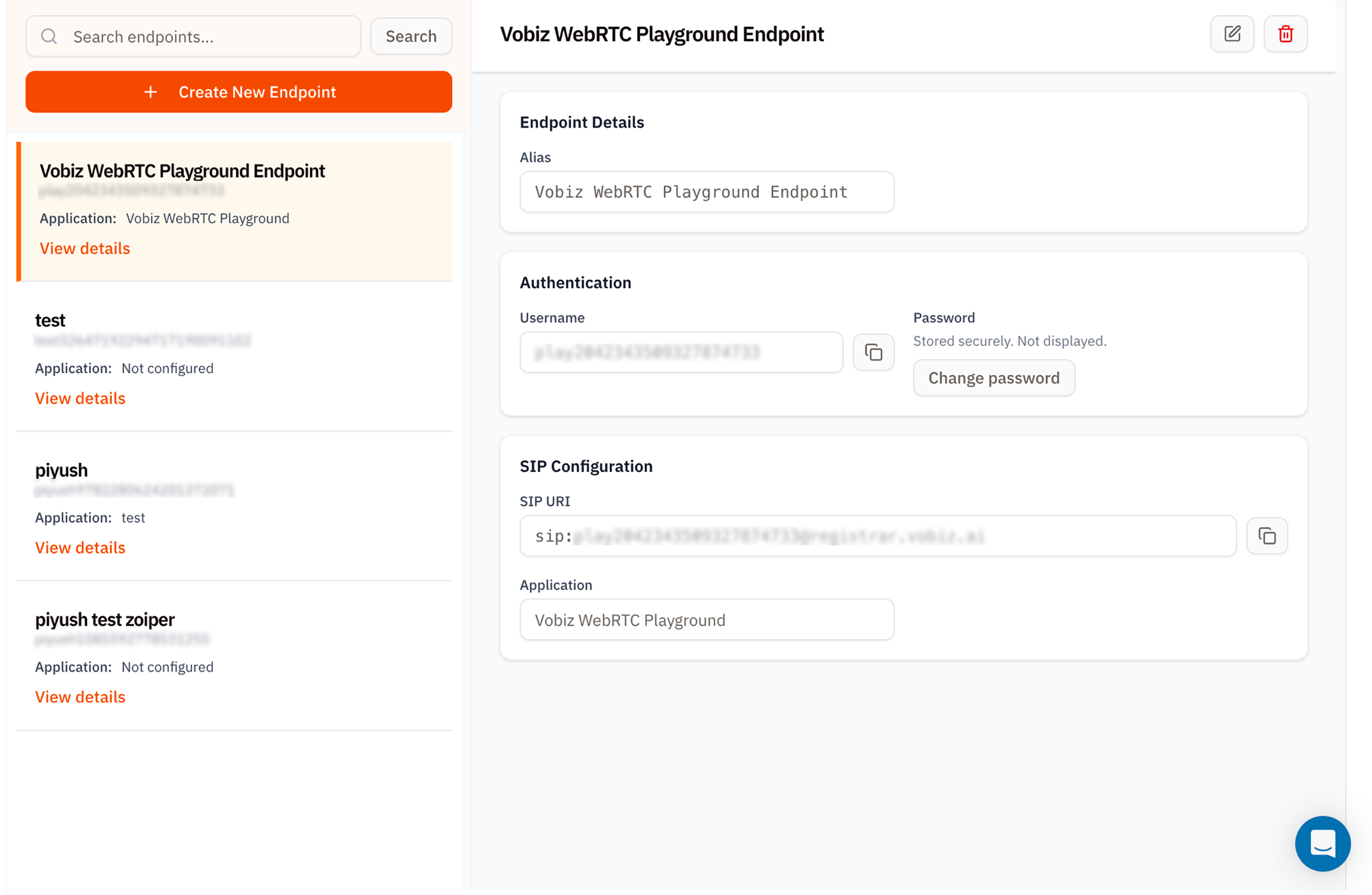
Voice Applications - Endpoints
- Left - a searchable list. Each card shows the alias, username, and the application the endpoint is wired to.
- Right - endpoint details for the row you’ve clicked.
What the endpoint details show
Create a SIP endpoint
Click + Create New Endpoint to open the form.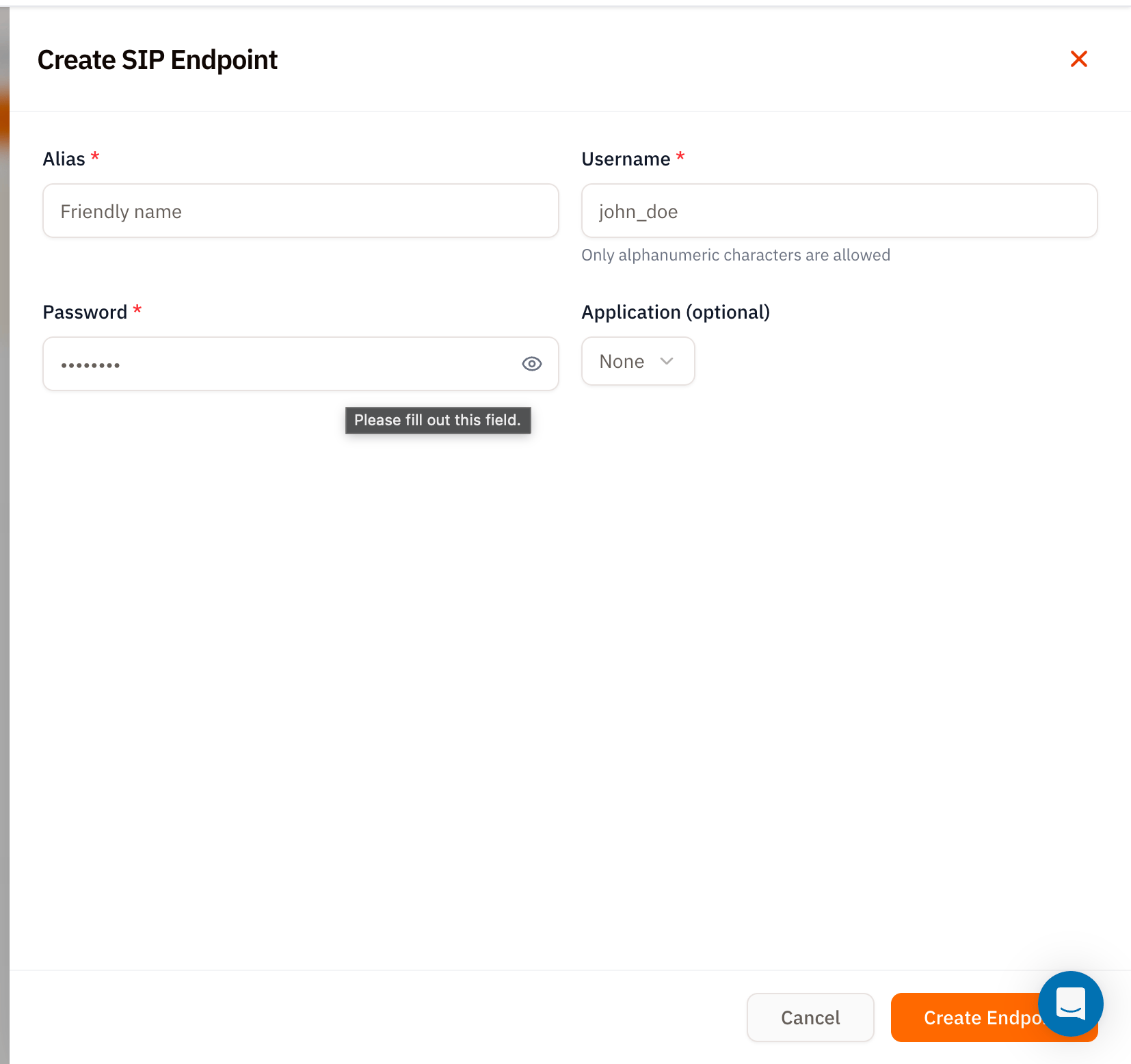
Create SIP Endpoint form
Click Create Endpoint and Vobiz issues the SIP credentials.
Vobiz WebRTC Playground
The hosted Vobiz WebRTC Playground uses your account Auth ID and Auth Token, not a SIP endpoint username and password. The first connection automatically creates theVobiz-WebRTC-Playground application for browser-based inbound and outbound calling.
Set up browser calling
Connect the playground, configure caller ID, place an outbound call, and attach a DID for inbound calls.
Edit, change password, delete
Top‑right of the details panel:- ✏ Edit - change alias or the assigned application.
- Change password (inside the Authentication card) - rotate credentials. The old password is immediately invalidated; update your softphone before the next call.
- 🗑 Delete - permanently remove the endpoint. Any registered client will drop the session.
Tips
- One endpoint per agent. Don’t share a username/password across team members - Vobiz registrar only allows one active registration per endpoint.
- Rotate passwords on offboarding. Deleting the endpoint is cleaner, but changing the password is faster if the same alias will be reassigned.
- Use the WebRTC Playground for browser testing. Follow the WebRTC Playground guide to call with your Vobiz API credentials and an attached DID.
What’s next
WebRTC Playground
Make and receive browser calls with your API credentials and a Vobiz DID.
Applications
Point this endpoint at an XML app that responds with real call flows.