

URL
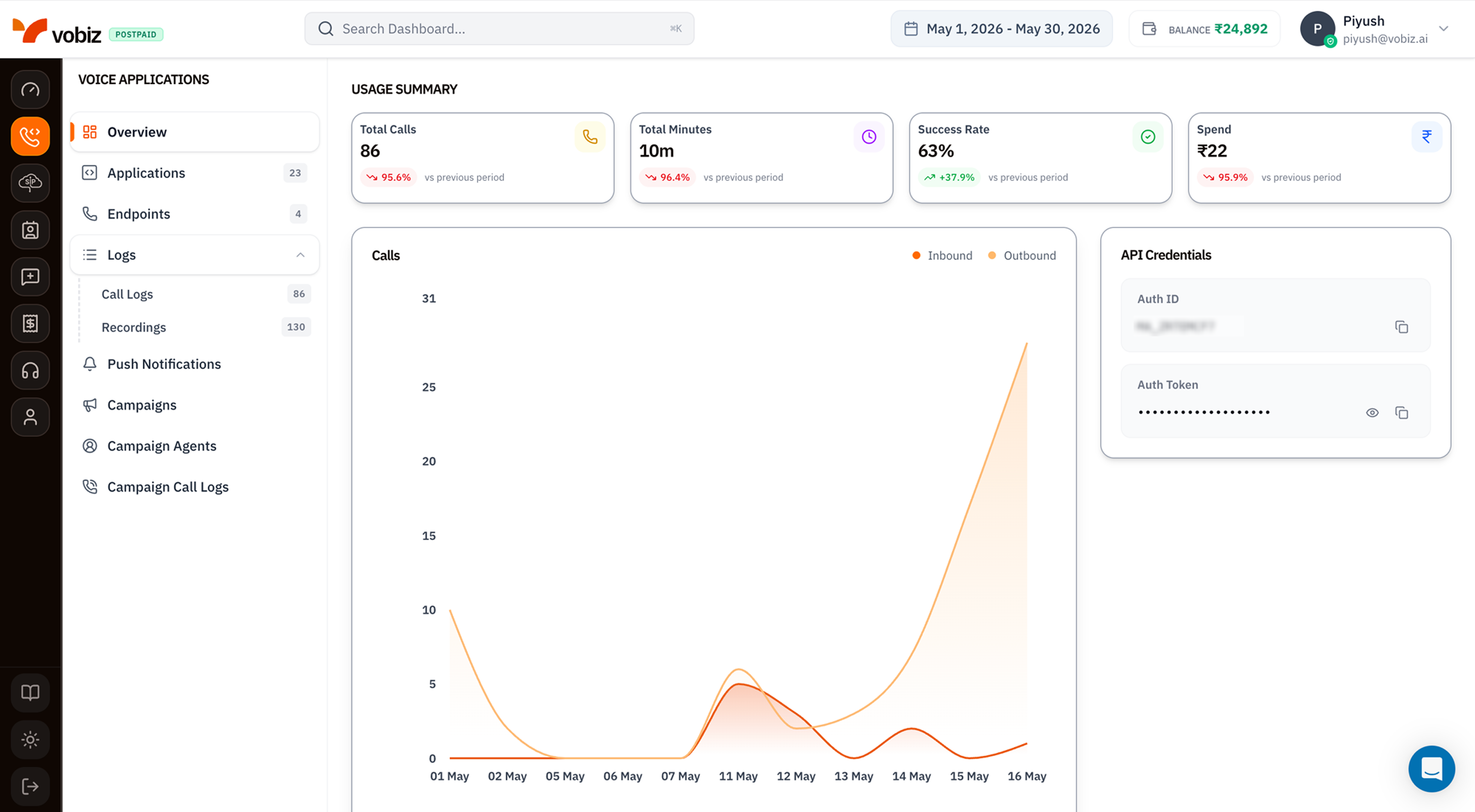
Voice Applications - Overview
Left navigation - Voice Applications
The sidebar lists every page in this section. Each one has a dedicated walkthrough:Usage Summary tiles
Four KPI tiles summarising voice activity in the selected date range:
Each tile shows a trend pill comparing the current period to the previous window of the same length.
Calls - inbound vs outbound chart
A daily area chart with two series:- Inbound (red) - calls received on your Vobiz phone numbers.
- Outbound (orange) - calls placed via API, XML, or campaigns.
API Credentials
The right‑side card duplicates your Auth ID and Auth Token from the main Dashboard so you can copy them without leaving the Voice section. Click the eye icon (👁) to reveal the token, the copy icon (⧉) to copy.What’s next
Create an XML Application
Wire a phone number to your server’s answer/hangup webhooks.
Register a SIP Endpoint
Sign in from a softphone like Zoiper or the WebRTC demo.