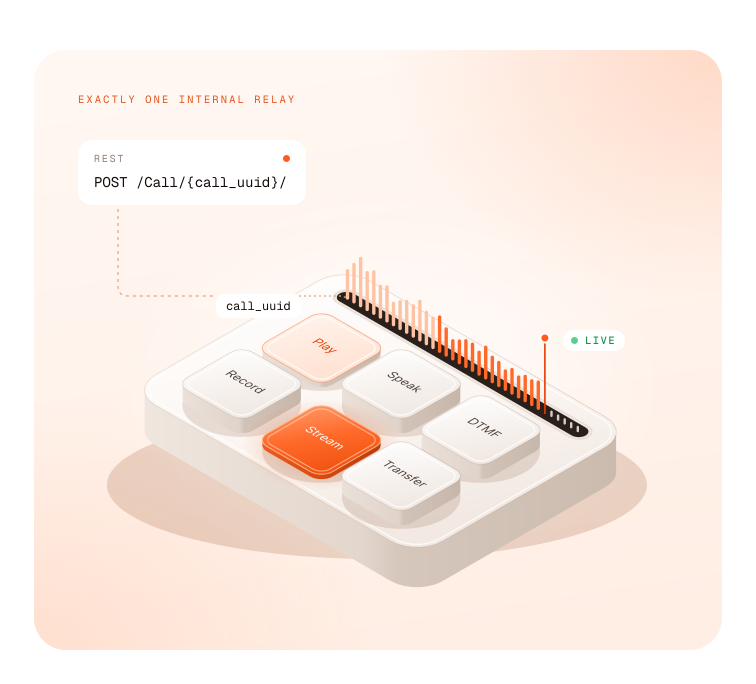











 One internal relay













Warm transfer to a human
put the caller on hold music while you reach an agent, then connect them with new instructions.
POST /Call/{call_uuid}/withaleg_url VOICE API
The Vobiz Voice API is a programmable voice API for AI voice agents. Start a call with one REST request, script the flow in VobizXML, stream live audio to your agent over WebSocket, and transfer or record the call while it is in progress.
Talk to an engineer10min
to first call
Sub-80ms
one-way latency
20ms
audio frames
15M+
calls a day
 How it works
No ticket, no provisioning window. Everything below works from the console or the REST API.
 API key123Live call
1# Place an outbound call: returns a call_uuid2curl -X POST https://api.vobiz.ai/api/v1/Account/$AUTH_ID/Call/ \3-H "X-Auth-ID: $AUTH_ID" -H "X-Auth-Token: $AUTH_TOKEN" \4-H "Content-Type: application/json" \5-d '{"from":"+14155550100","to":"+14155550123",6"answer_url":"https://agent.example.com/answer","answer_method":"POST"}'1<!-- What your answer_url returns: greet, then stream to your agent -->2<Response>3<Speak>Connecting you now.</Speak>4<Stream bidirectional="true">wss://agent.example.com/ws</Stream>5</Response>
Built for voice AI
On Vobiz, media crosses exactly one internal relay,
and streaming and recording fork off the path rather than sitting in it.
 One-way latency
<80ms
 Speech onset delay
50ms
 Signal-to-noise
38.4dB
 PESQ MOS
4.2+

Vobiz internal measurements.
Live call control
Call control that ends at setup leaves a failing conversation to run its course. On Vobiz, every live call is addressable by its call_uuid until it hangs up.
put the caller on hold music while you reach an agent, then connect them with new instructions.
POST /Call/{call_uuid}/withaleg_url
inject audio, text-to-speech or DTMF into either side of the call.
/Play//Speak//DTMF/
start and stop recording at any point in the call.
/Record/
fork audio to a transcription or QA service after a transfer, without touching the agent's stream.
/Stream/
bridge callers into a room, then mute, deafen or remove participants individually.
<Conference>/Conference/{name}/Member/
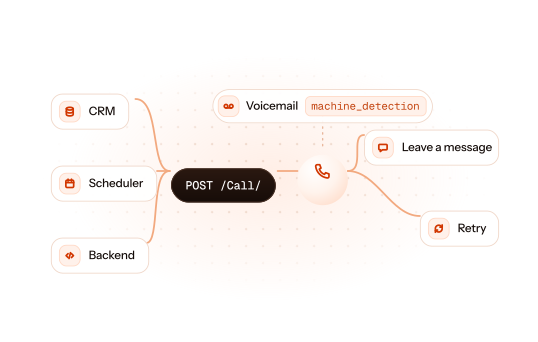
detect voicemail synchronously or asynchronously, then hang up or leave a message.
machine_detectionReal-time audio streaming
Audio streaming is built into the media layer, not added to it through recordings and webhooks. Return one <Stream> verb and Vobiz opens a bidirectional WebSocket to your server, sending audio in 20 ms frames.
 Vobiz
Vobiz bidirectional WebSocket
 Your server
wss://agent.example.com/ws 20 ms frames
— 16-bit linear PCM at 8, 16 or 24 kHz, or μ-law at 8 kHz.
— send clearAudio and queued playback stops the moment the caller speaks.
— mark the end of an utterance and get a playedStream event when the caller has actually heard it.
— start additional one-way streams over REST for transcription or monitoring, and stop each independently.
Vobiz XML
When a call connects, Vobiz requests your answer URL and runs the VobizXML you return, top to bottom. Speak, play, gather keypad or speech input, dial out, record, stream, conference or redirect. Classic IVR and AI voice agents run on the same surface.
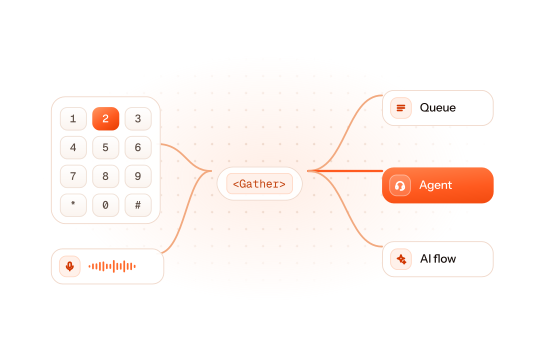
1<Response>2<Gather numDigits="1" executionTimeout="10" action="https://example.com/menu">3<Speak>Press 1 for billing, or 2 to talk to an agent.</Speak>4</Gather>5<Speak>We didn't get that. Goodbye.</Speak>6<Hangup/>7</Response>Webhooks and events
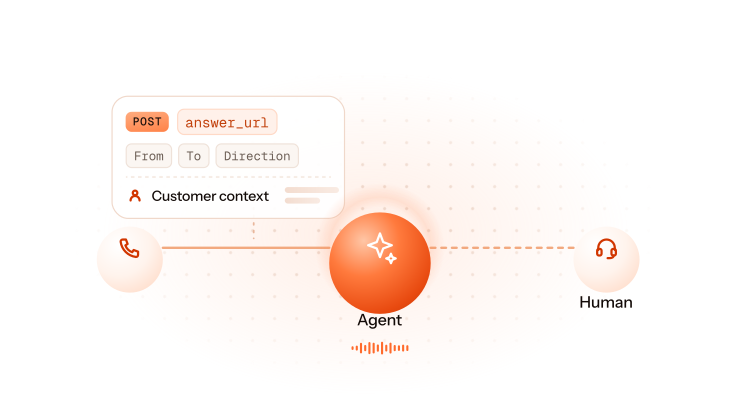
Set an answer URL, ring URL and hangup URL per call. Vobiz posts call context the moment a call arrives, rings, connects and ends, so you can pull customer context or route before the caller hears a word.
 Call answered
answer_urlCaller, callee, direction, custom SIP headers. You reply with VobizXML Ringing
ring_urlCall status as the far end rings Call ended
hangup_urlDuration, billed duration, hangup cause Transfer or dial result
<Dial action>Dial status and both leg IDs Voicemail detected
machine_detection_urlMachine true or false, while the call continuesring_urlRinginganswer_urlCall answered VobizXML
machine_detection_urlVoicemail detected<Dial action>Transfer or dial resulthangup_urlCall endedObservability
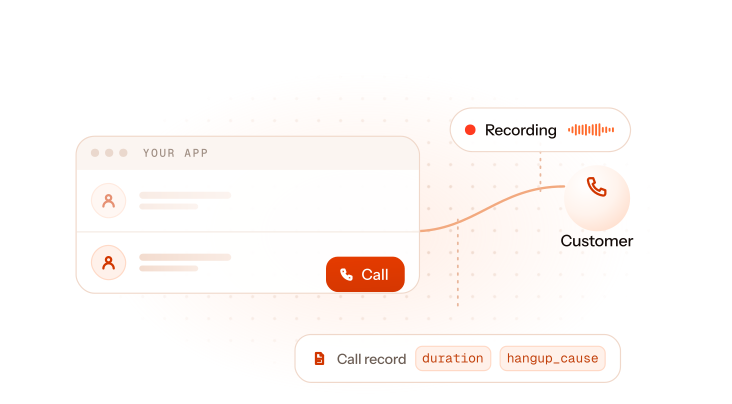
Every call detail record carries 43 fields — MOS, jitter, packet loss, negotiated codec, which side hung up and why. Fetch by call_uuid, filter per sub-account, or export to CSV.

Integrations
Self-hosted pipelines take audio straight from the Voice API over WebSocket. Managed agent platforms take the call over SIP. Both run on the same numbers and the same account.
Use cases

— answer every call with an agent, pull customer context from the webhook before it speaks, and hand off to a human mid-call.
Inbound AI agent guide

— trigger calls from your CRM, scheduler or backend, detect voicemail, and leave a message or retry.
Outbound AI calling campaign
— keypad and speech menus in VobizXML, routing to the right queue, agent or AI flow.
IVR example in Python
— connect your users to their customers from inside your app, with recording and call records on every call.
Browser and in-app calling Get started
Get a number, place a call, stream it to your agent.
No ticket, no sales call, no commitment.
FAQ
We use cookies to run this site and, with your permission, to understand how it's used. Read our Cookie Policy.
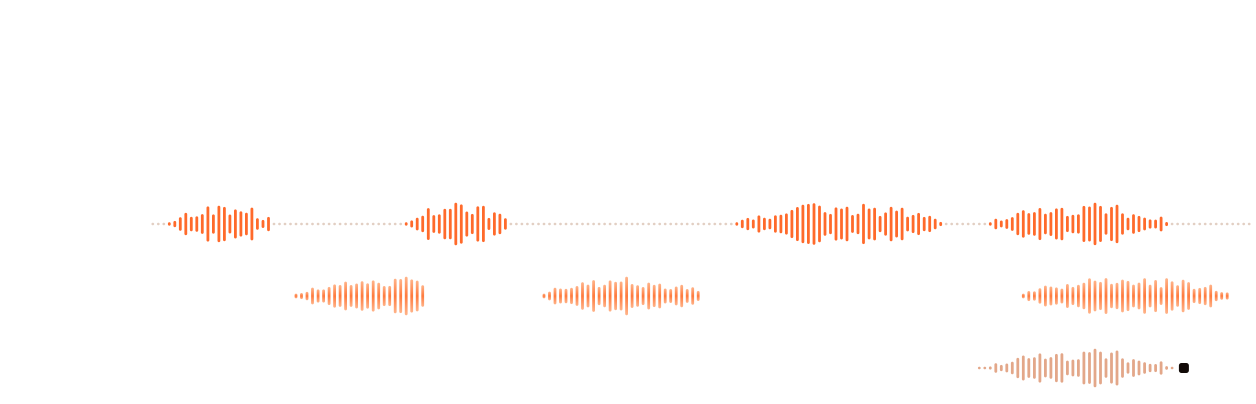





 Voice API + WebSocket audio stream
 Voice API


 SIP trunk

 Agents
 Realtime