Zoiper5 Integration
How to set up an XML application, create a SIP Endpoint, configure Zoiper5, and make an outbound call using Vobiz.
Outbound Calling with SIP Endpoints (Zoiper)
This guide explains how to set up an XML application, create a SIP Endpoint, configure a softphone (like Zoiper), and make an outbound call using Vobiz.
Prerequisites
- A Vobiz account.
- A virtual phone number purchased in the Vobiz Console (this will be your Caller ID).
- A softphone application installed (e.g., Zoiper5).
- A webhook server capable of returning Vobiz XML (e.g., an ngrok tunnel or hosted server).
Step 1: Create an XML Application
To control what happens when a call is placed from your SIP Endpoint, you need an XML Application that provides instructions to the Vobiz Media Server.
- In the Vobiz Console, navigate to Applications and click Create Application.
- Fill out the form:
- Application Name: Enter a friendly name (e.g.,
Outbound Webhook App). - Answer URL: Enter your webhook URL (e.g.,
https://occasionally-isoelastic-dorie.ngrok-free.dev).- Note: Ensure the method matches your server (GET or POST).
- Hangup URL (Optional): Enter a URL to receive hangup events.
- Application Name: Enter a friendly name (e.g.,
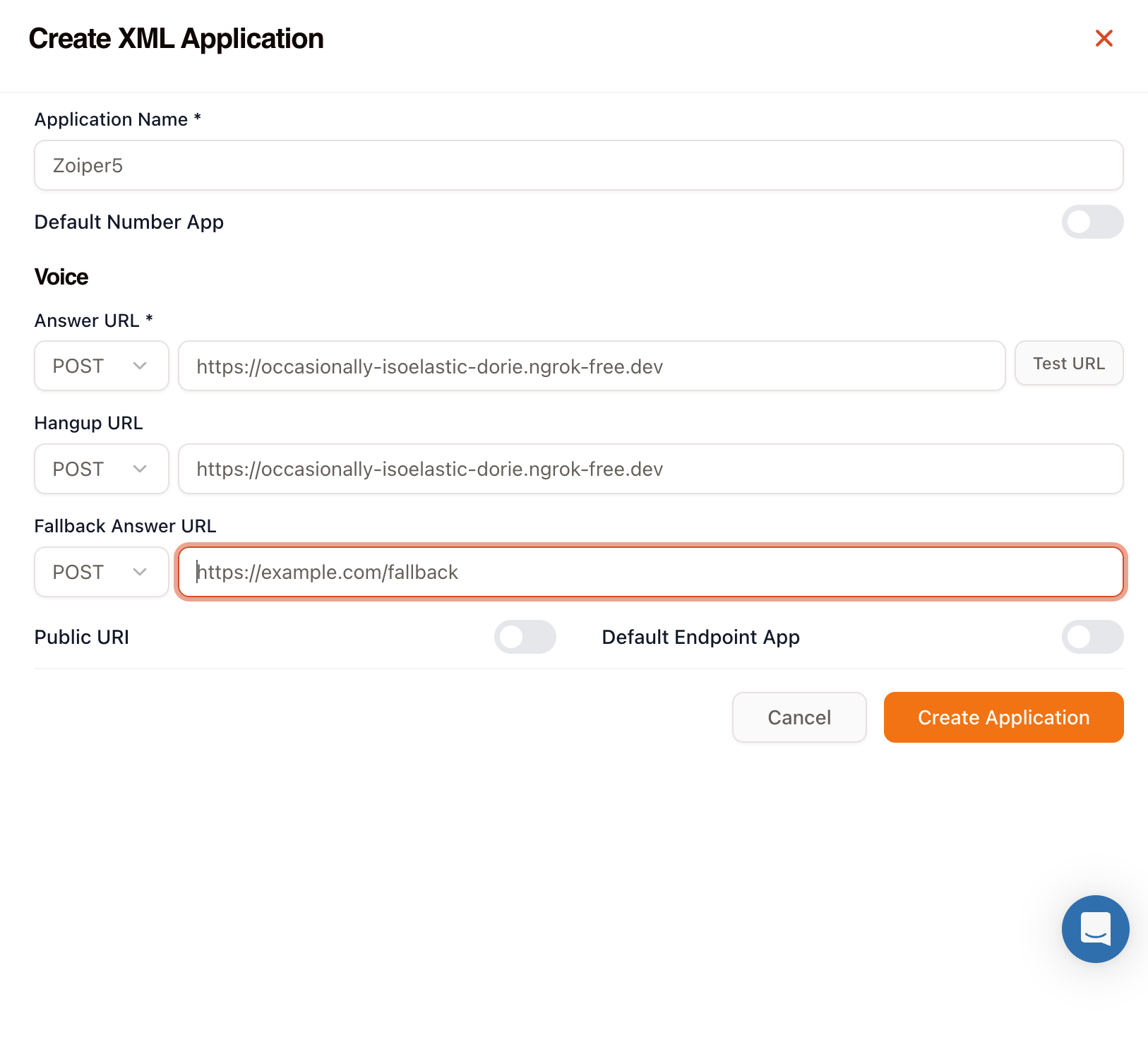
- Click Create Application.
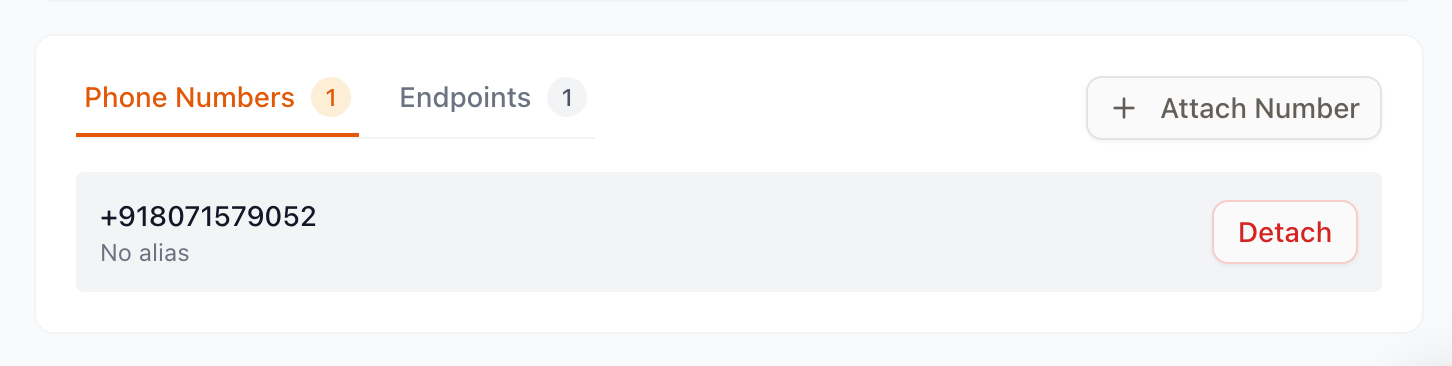
Understanding the XML Structure
When you make an outbound call from a SIP Endpoint, Vobiz needs to know where to route the call and what Caller ID to display. This is done using the <Dial> verb.
xml<?xml version="1.0" encoding="UTF-8"?> ```xml <Response> <Dial callerId="+91XXXXXXXXXX"> <Number>+91XXXXXXXXXX</Number> </Dial> </Response>
- **`<Response>`**: The required root element for all Vobiz XML instructions.
- **`<Dial>`**: The verb used to connect the active caller (your SIP Endpoint) to a new destination.
- **`callerId` attribute**: This dictates what phone number shows up on the recipient's phone. This *must* be a phone number associated with your Vobiz account.
- **`<Number>`**: The noun nested inside `<Dial>` that specifies the destination phone number you are trying to reach (usually dynamically grabbed from the SIP dialpad).

### Example Webhook Payload
Here is a Python example that dynamically extracts the number you dial in Zoiper (passed by Vobiz in the `To` parameter) and responds with the correct XML structure to route the call.

```python
from http.server import BaseHTTPRequestHandler, HTTPServer
import urllib.parse

class RequestHandler(BaseHTTPRequestHandler):
    def handle_request(self):
        query = urllib.parse.urlparse(self.path).query
        params = urllib.parse.parse_qs(query)

        # Vobiz sends the dialed number in the 'To' parameter
        to_number = params.get('To', [''])[0]

        # Clean up SIP URI if present
        if 'sip:' in to_number:
            to_number = to_number.split('@')[0].replace('sip:', '')

        xml_response = f"""<?xml version="1.0" encoding="UTF-8"?>

```xml
<Response>
    <!-- Replace callerId with your purchased Vobiz Number -->
    <Dial callerId="+91XXXXXXXXXX">
        <Number>{to_number}</Number>
    </Dial>
</Response>
"""
    self.send_response(200)
    self.send_header('Content-type', 'application/xml')
    self.end_headers()
    self.wfile.write(xml_response.encode('utf-8'))

def do_GET(self):
    self.handle_request()

def do_POST(self):
    self.handle_request()
if name == 'main': server = HTTPServer(('0.0.0.0', 8080), RequestHandler) server.serve_forever()
---
## Step 2: Create a SIP Endpoint
A SIP Endpoint acts as a bridge between your softphone and the Vobiz network.
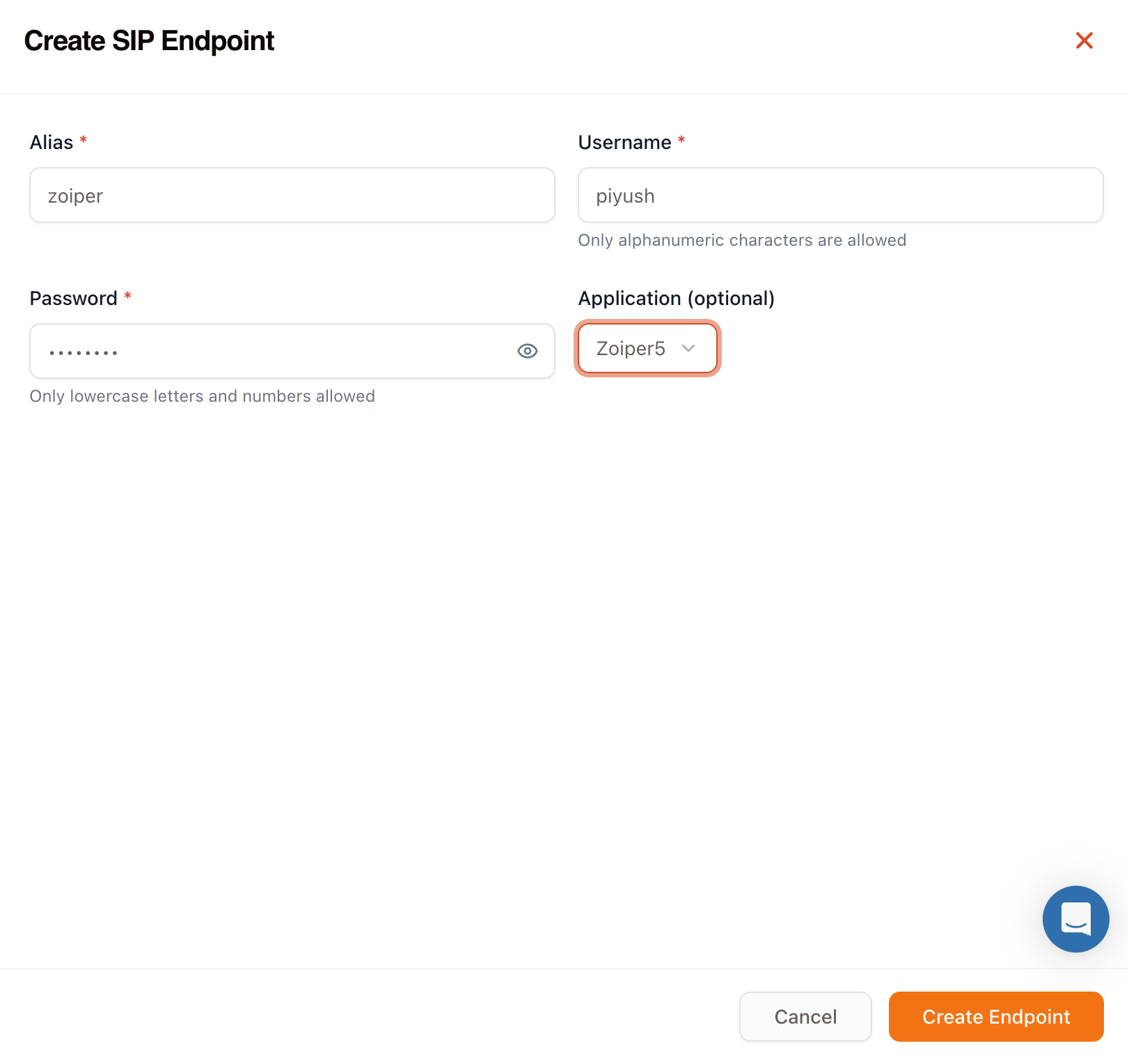
1. Navigate to **Endpoints** in the Vobiz Console and click **Create SIP Endpoint**.
2. Fill out the configuration:
- **Alias:** A friendly name for the endpoint (e.g., `My Zoiper Endpoint`).
- **Username:** A unique alphanumeric username (e.g., `johndoe123`).
- **Password:** A secure password (lowercase letters and numbers only).
- **Application:** Select the XML Application you created in Step 1 (e.g., `Outbound Webhook App`).
3. Click **Create Endpoint**.
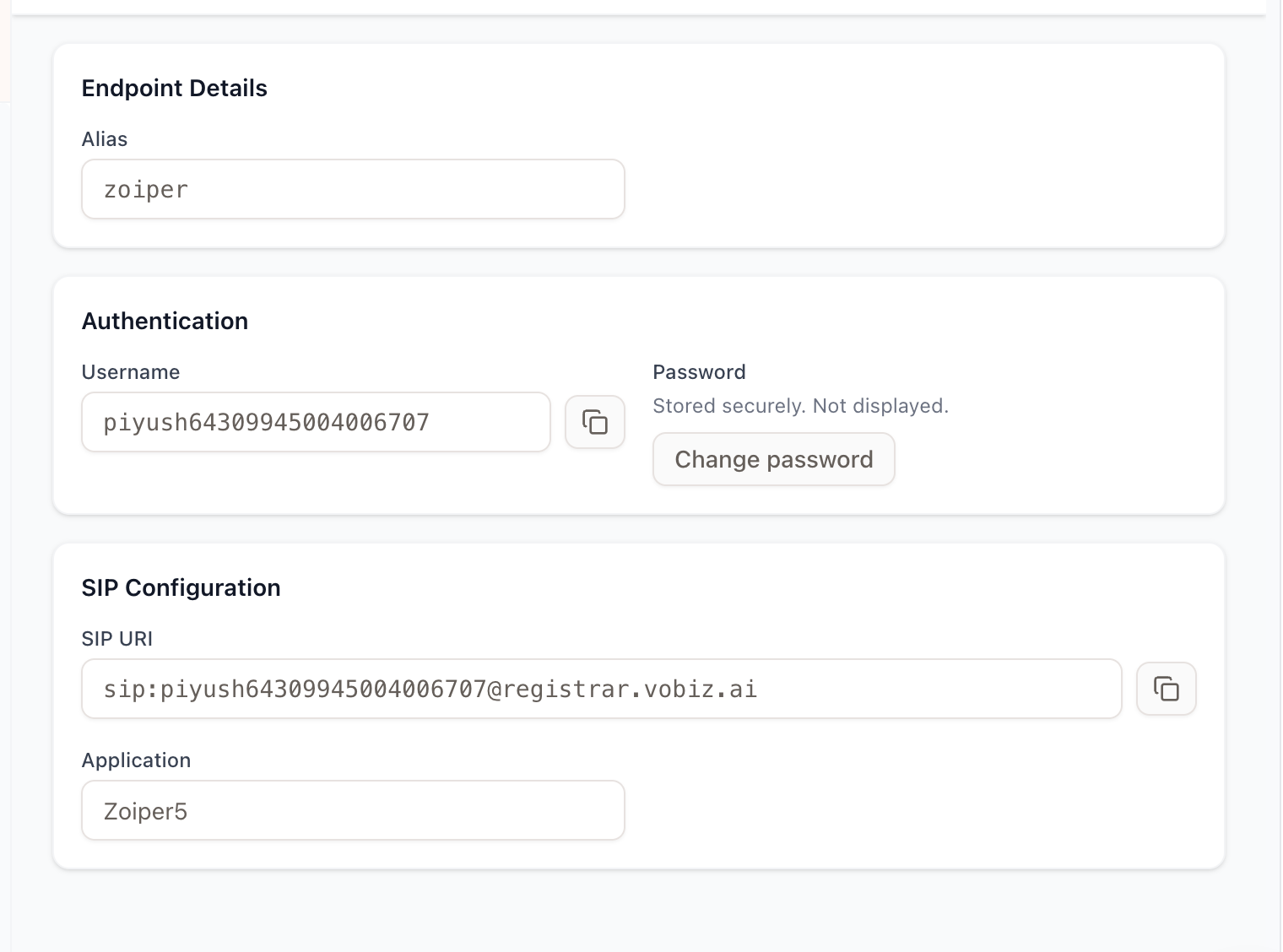
*Make note of the generated SIP URI (e.g., `johndoe123@registrar.vobiz.ai`) and password.*
---
## Step 3: Configure Zoiper (Softphone)
Now, configure your softphone to connect to the Vobiz SIP Registrar.
1. Open **Zoiper**.
2. Go to **Settings > Accounts** and click **Add Account**.
3. Select **SIP** as the account type.
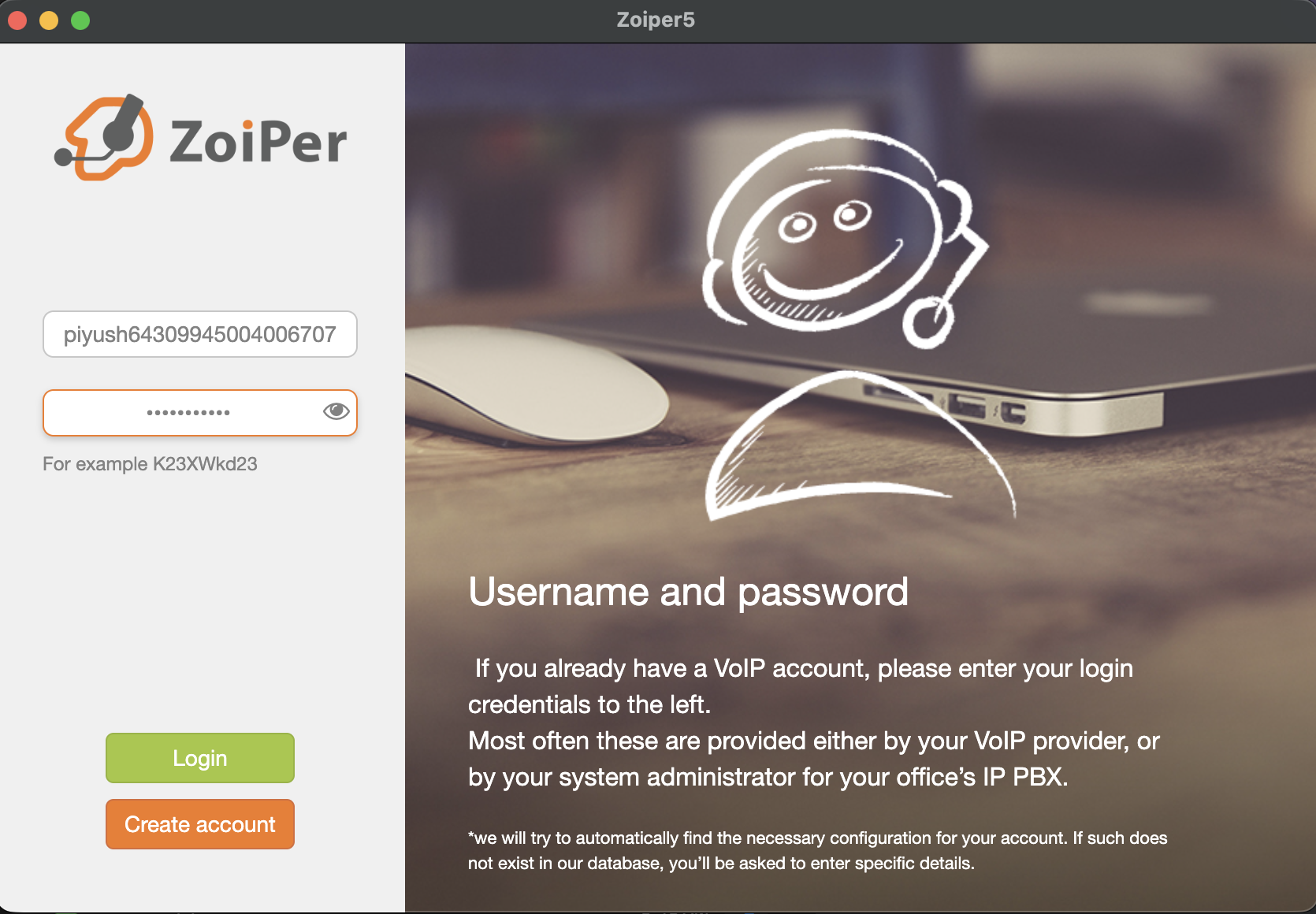
4. Enter the credentials you created in Step 2:
- **User / Username:** Your SIP Username (e.g., `piyush123`). Note: Zoiper might append a long string to your username, this is normal.
- **Password:** The password you set (e.g., `password123`).
<br />
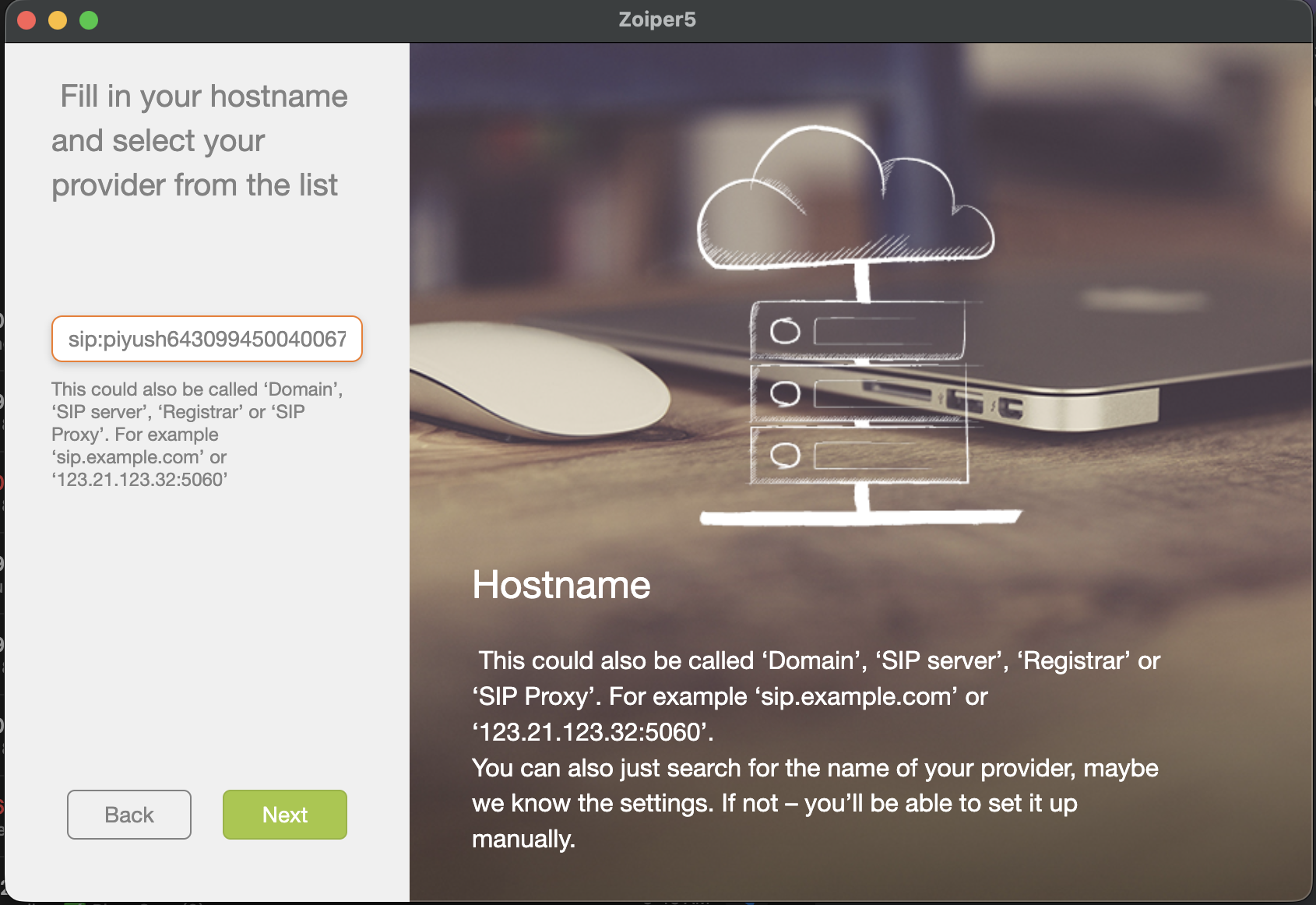
- **Domain / Outbound Proxy:** `registrar.vobiz.ai`
5. Click **Register** or **Next**. You should see a green checkmark indicating successful registration.
---
## Step 4: Make an Outbound Call
1. In Zoiper, open the dialpad.
2. Dial the destination phone number (e.g., `+91XXXXXXXXXX`).
3. Press the **Call** button.
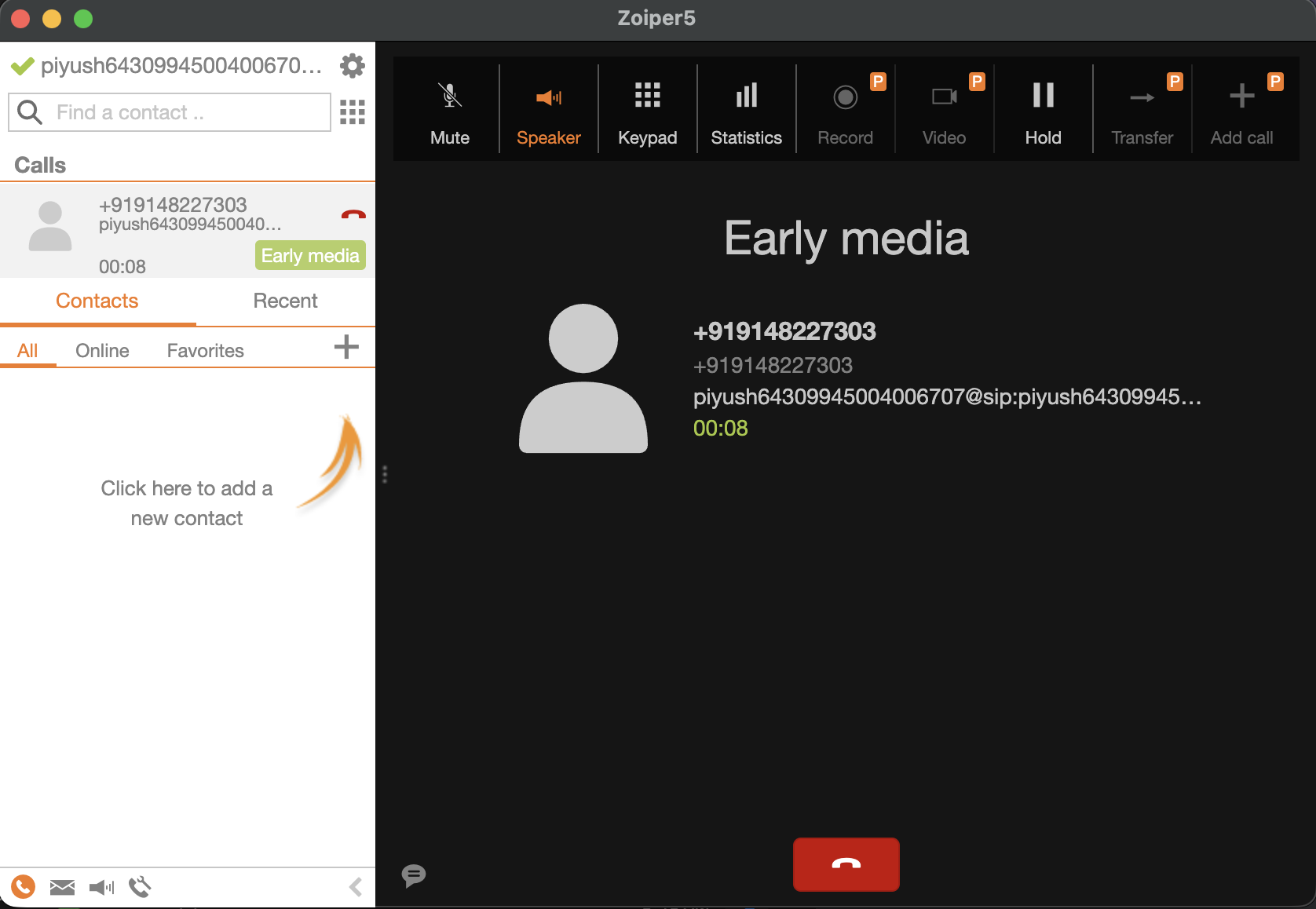
### What Happens Next?
1. Zoiper sends the call to `registrar.vobiz.ai`.
2. Vobiz sees the call is from your SIP Endpoint and looks up the assigned Application.
3. Vobiz makes an HTTP request to your webhook URL (`https://occasionally-isoelastic-dorie.ngrok-free.dev`) passing `To=+91XXXXXXXXXX`.
4. Your server responds with the `<Dial>` XML.
5. Vobiz initiates the outbound call to the destination network, masking it with your `callerId`.
Explore More Integrations
3CX integration
Connect 3CX PBX to Vobiz SIP trunking for inbound and outbound calling across 130+ countries - configure a generic SIP trunk in minutes.
Agora Integration
Connect an Agora Conversational AI agent to Vobiz SIP trunking - add a Vobiz number to Agora for outbound campaigns and route inbound calls to your agent, including India and 130+ countries.
Bolna integration
Bolna ships Vobiz as a built-in telephony provider. Paste two credentials into the Providers screen and your agents place and answer calls on numbers in 130+ countries, reaching 190, with audio streaming rather than a SIP trunk.
We use cookies to run this site and, with your permission, to understand how it's used. Read our Cookie Policy.