

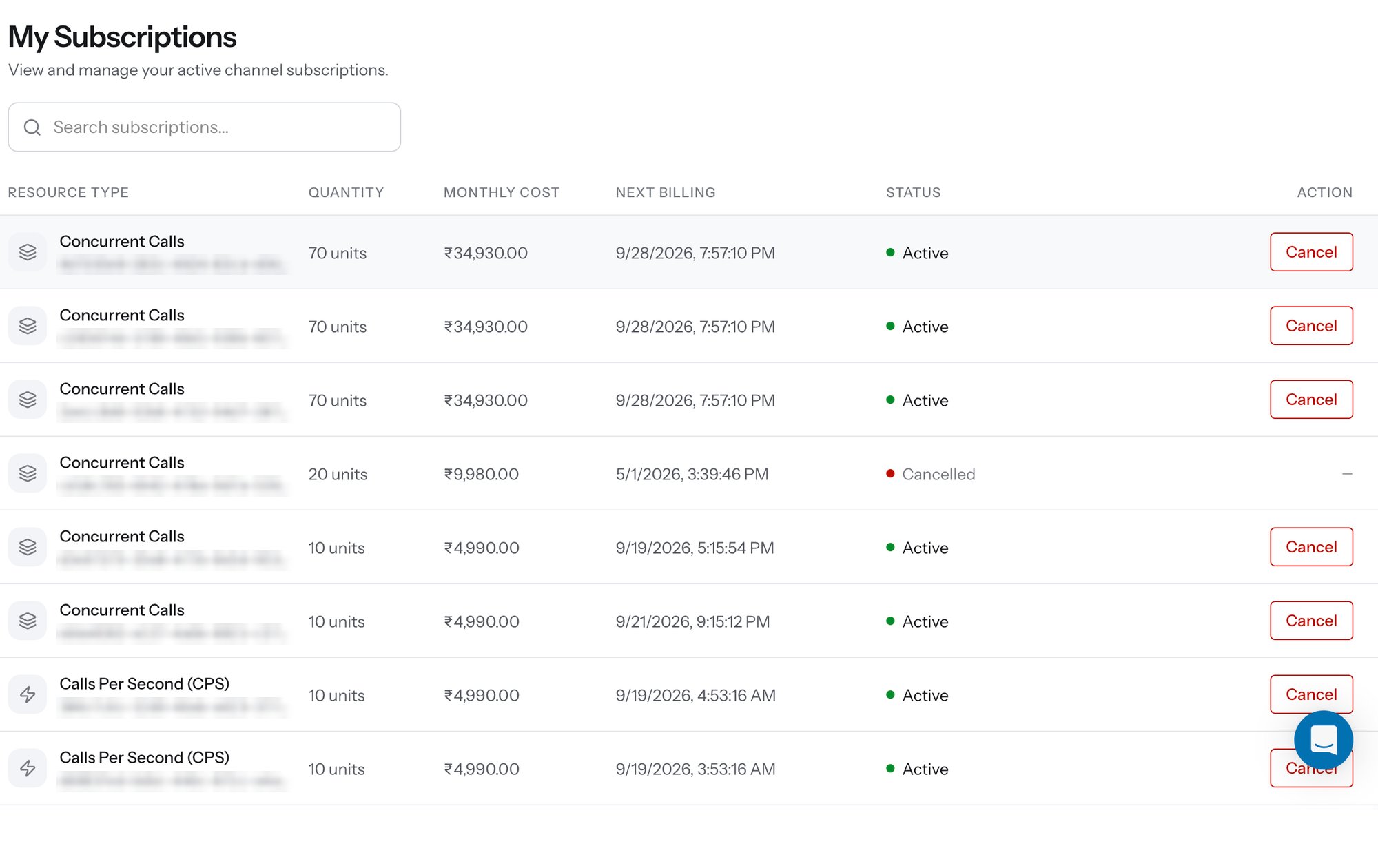
My Subscriptions - active and cancelled capacity subscriptions
Columns
Each purchase creates its own row, so buying capacity three times leaves three subscriptions rather than one line that grows - which is what lets you cancel part of your capacity without touching the rest.
Cancelling
Click Cancel on the row you want to stop. Cancellation is available at any time and applies to that subscription only; every other block keeps running, and your ceiling drops by the cancelled quantity. Use the Search subscriptions… field to find a specific row by resource type or subscription ID when the list runs long.Related
Buy CPS
Raise call-initiation throughput in blocks of 3.
Buy Concurrency
Raise simultaneous live calls in blocks of 10.
Purchase capacity API
Create the same subscriptions programmatically.
Transactions
Every debit on the account, including capacity renewals.