

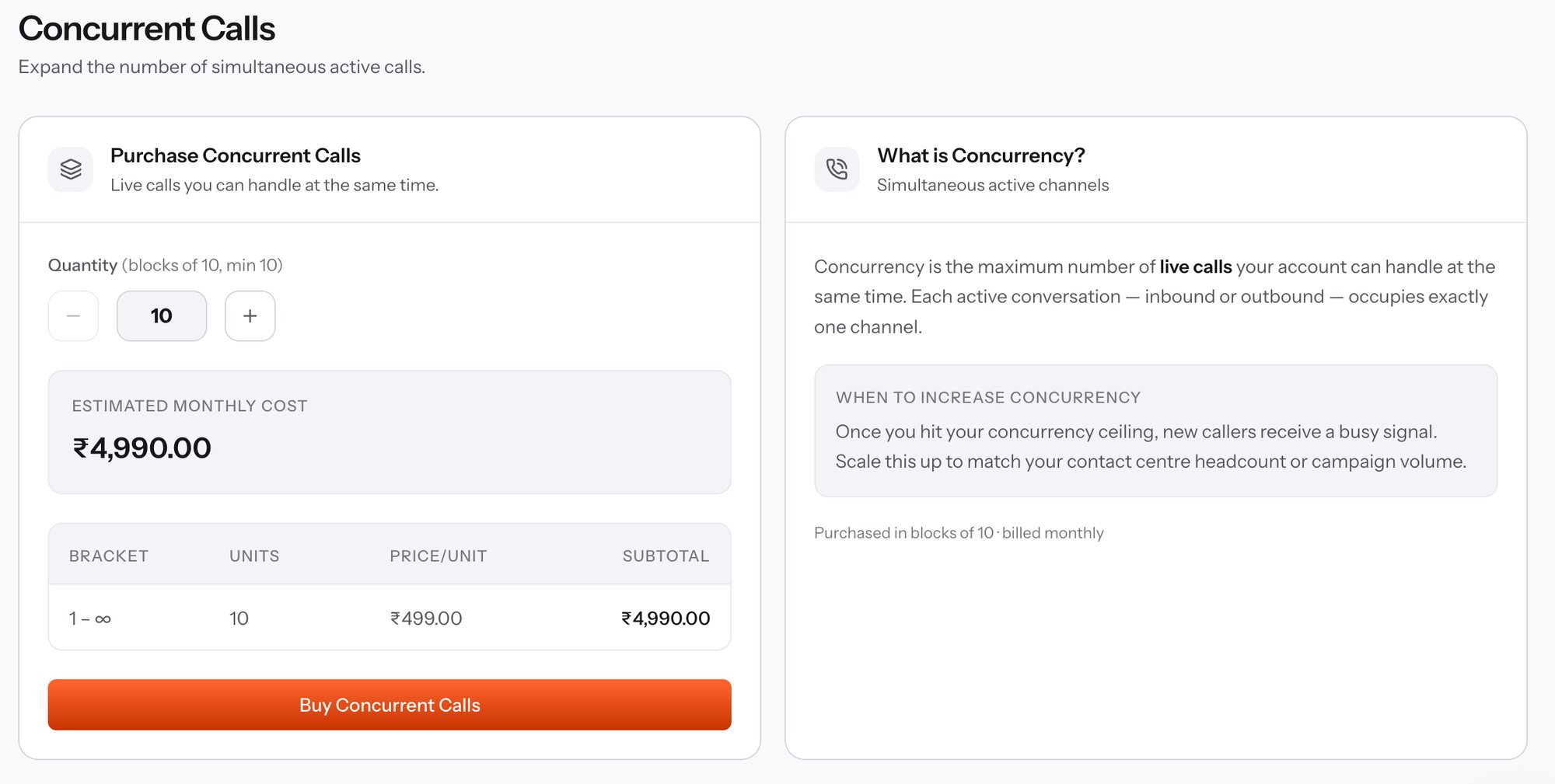
Concurrent Calls - purchase panel and explainer
When to raise concurrency
Once you hit the concurrency ceiling, new callers receive a busy signal. Scale it to match contact-centre headcount or campaign volume - one channel per agent or per simultaneous outbound leg, plus headroom for peaks. Inbound traffic is the case to watch: a busy signal is invisible in your own logs but very visible to the customer who got it. Check live utilisation against the ceiling with the Concurrency API, which returnsconcurrent_calls, max_concurrent, and utilization_pct.
Buying capacity
Capacity is purchased in blocks of 10 and billed monthly. The first month is charged on purchase, and the subscription then renews on its own cycle until you cancel it from My Subscriptions.
The prices in the screenshot belong to one account’s pricing tier. Your own rate appears in the bracket table as you change the quantity, and Preview capacity pricing returns the same figure over the API without charging anything.
Buy it over the API
Preview capacity pricing
Calculate the monthly price for a concurrency quantity without creating a subscription.
Purchase capacity
Create the subscription with
resource_type: "concurrent_calls" and a quantity.Check live concurrency
Read current channel usage and headroom in real time.