> ## Documentation Index
> Fetch the complete documentation index at: https://www.vobiz.ai/docs/llms.txt
> Use this file to discover all available pages before exploring further.
# My Subscriptions - Manage Capacity Subscriptions
> Review and cancel the CPS and concurrency subscriptions on your Vobiz account - quantity, monthly cost, next billing date, and status for every active channel subscription.
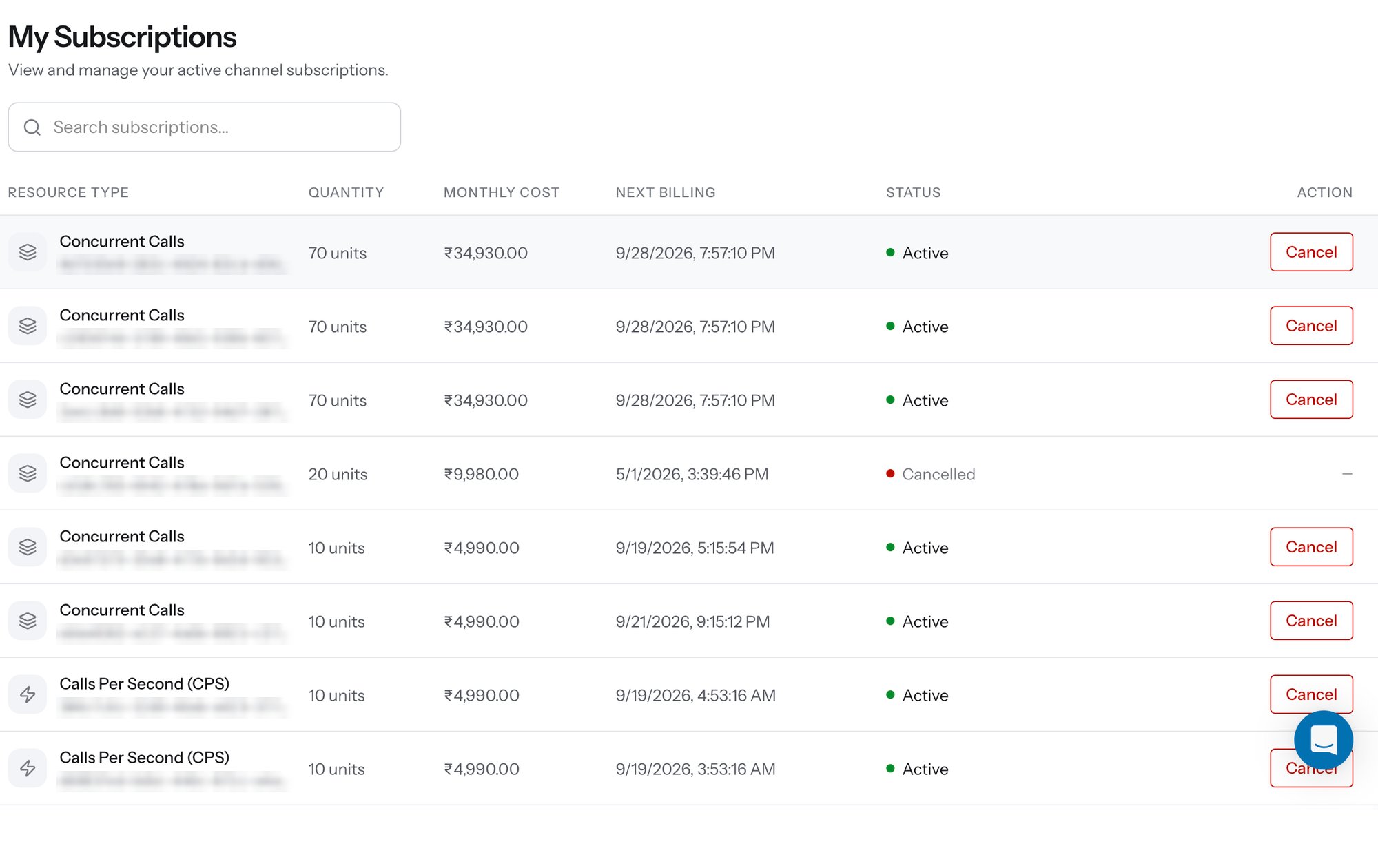
**My Subscriptions** lists every capacity subscription on the account - each [CPS](/docs/platform/capacity/cps) and [Concurrency](/docs/platform/capacity/concurrency) block you have bought, what it costs, when it renews, and whether it is still active.
Open it from **Capacity → My Subscriptions** in the left sidebar.
 ## Columns
| Column | What it tells you |
| ----------------- | ----------------------------------------------------------------------------------------------------------------------------------------------------------- |
| **Resource Type** | **Concurrent Calls** or **Calls Per Second (CPS)**, with the subscription's own ID underneath - quote it in a support conversation about a specific charge. |
| **Quantity** | Units bought in that subscription. Capacity is cumulative: several blocks of the same resource type add up to your ceiling. |
| **Monthly Cost** | The recurring charge for that subscription alone. |
| **Next Billing** | Date and time of the next renewal. |
| **Status** | **Active** for a subscription that is billing and counting toward your ceiling, **Cancelled** for one that has been stopped. |
| **Action** | **Cancel** on active rows. Cancelled rows show `—`. |
Each purchase creates its own row, so buying capacity three times leaves three subscriptions rather than one line that grows - which is what lets you cancel part of your capacity without touching the rest.
## Cancelling
Click **Cancel** on the row you want to stop. Cancellation is available at any time and applies to that subscription only; every other block keeps running, and your ceiling drops by the cancelled quantity.
Cancelling reduces the ceiling that capacity was holding up. Before cancelling concurrency, check live utilisation with the [Concurrency API](/docs/account/concurrency) - if peak usage is close to the current ceiling, the calls that no longer fit will get a busy signal.
Use the **Search subscriptions…** field to find a specific row by resource type or subscription ID when the list runs long.
## Related
Raise call-initiation throughput in blocks of 3.
Raise simultaneous live calls in blocks of 10.
Create the same subscriptions programmatically.
Every debit on the account, including capacity renewals.
## Columns
| Column | What it tells you |
| ----------------- | ----------------------------------------------------------------------------------------------------------------------------------------------------------- |
| **Resource Type** | **Concurrent Calls** or **Calls Per Second (CPS)**, with the subscription's own ID underneath - quote it in a support conversation about a specific charge. |
| **Quantity** | Units bought in that subscription. Capacity is cumulative: several blocks of the same resource type add up to your ceiling. |
| **Monthly Cost** | The recurring charge for that subscription alone. |
| **Next Billing** | Date and time of the next renewal. |
| **Status** | **Active** for a subscription that is billing and counting toward your ceiling, **Cancelled** for one that has been stopped. |
| **Action** | **Cancel** on active rows. Cancelled rows show `—`. |
Each purchase creates its own row, so buying capacity three times leaves three subscriptions rather than one line that grows - which is what lets you cancel part of your capacity without touching the rest.
## Cancelling
Click **Cancel** on the row you want to stop. Cancellation is available at any time and applies to that subscription only; every other block keeps running, and your ceiling drops by the cancelled quantity.
Cancelling reduces the ceiling that capacity was holding up. Before cancelling concurrency, check live utilisation with the [Concurrency API](/docs/account/concurrency) - if peak usage is close to the current ceiling, the calls that no longer fit will get a busy signal.
Use the **Search subscriptions…** field to find a specific row by resource type or subscription ID when the list runs long.
## Related
Raise call-initiation throughput in blocks of 3.
Raise simultaneous live calls in blocks of 10.
Create the same subscriptions programmatically.
Every debit on the account, including capacity renewals.